See any store the way a CRO expert does
Conversion Lens shows the theme, apps and price range behind any store, then turns the page into an expert conversion audit using the AI you already have: attention heatmap, product page, collection, CTAs, copy and more, in ChatGPT or Claude.
- Free
- No sign-up
- No API keys
- Screenshots stay on your device
Conversion rate optimization powered by Conversion.is, with Measure.co.
How it works
From screenshot to audit in a minute
Store X-ray
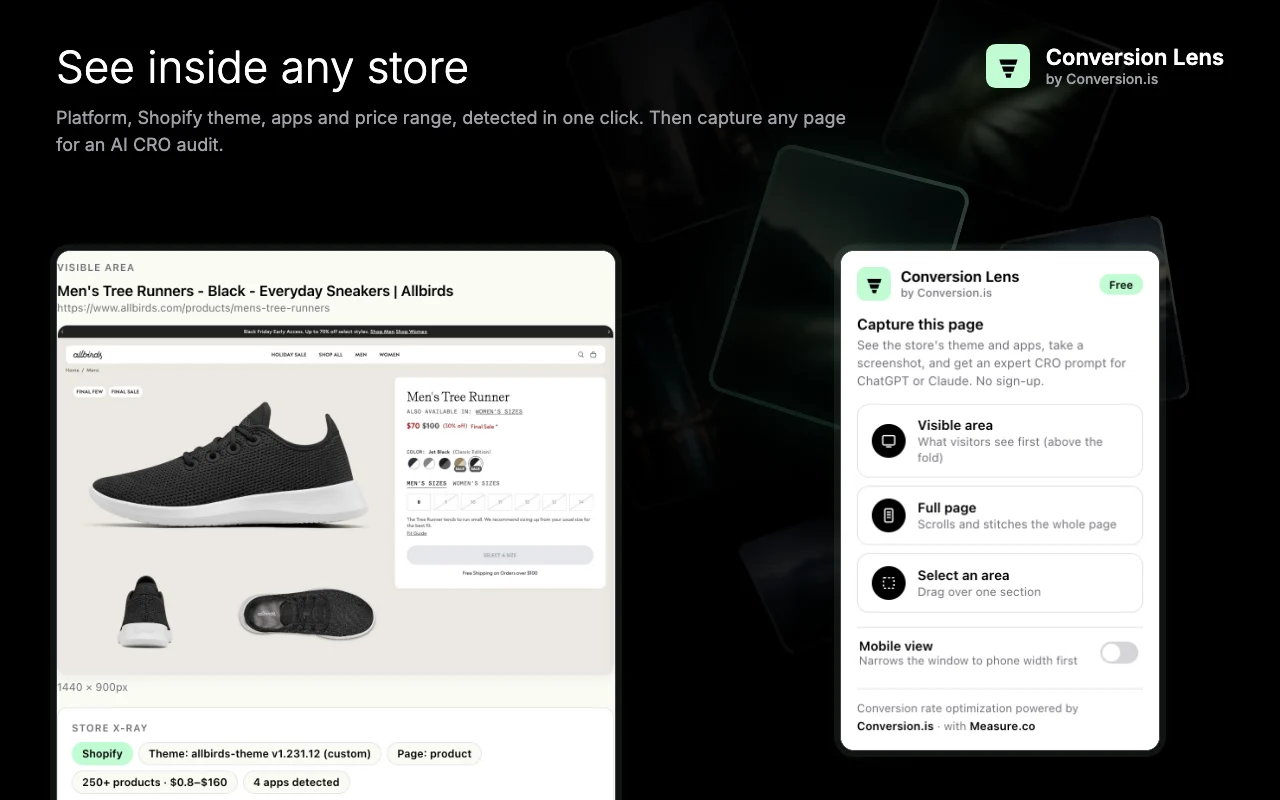
See inside any store
Open any store and see its platform, Shopify theme and version, the type of page, 50+ well-known apps (reviews, email and SMS, upsells, subscriptions, page builders, A/B testing, ad pixels) and the catalogue's price range. Then capture the visible area, the full page, a section, or the page at phone width.
Analyze
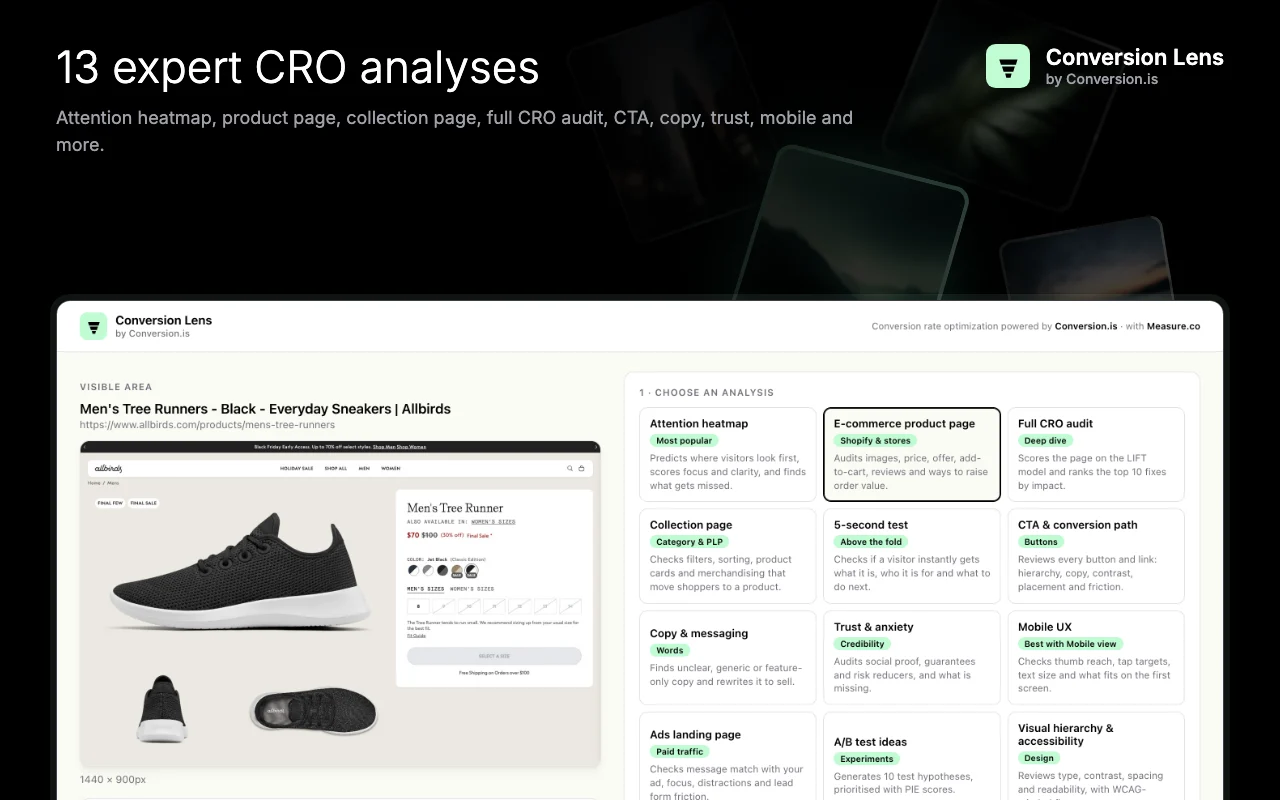
13 expert CRO analyses, built for e-commerce
Pick an analysis and add your goal and audience. Conversion Lens adds everything it found (theme, apps, headings, buttons, forms) to a detailed prompt, so the AI's answer is about your store, not generic advice. Every analysis ends with an implementation plan.
Revenue impact
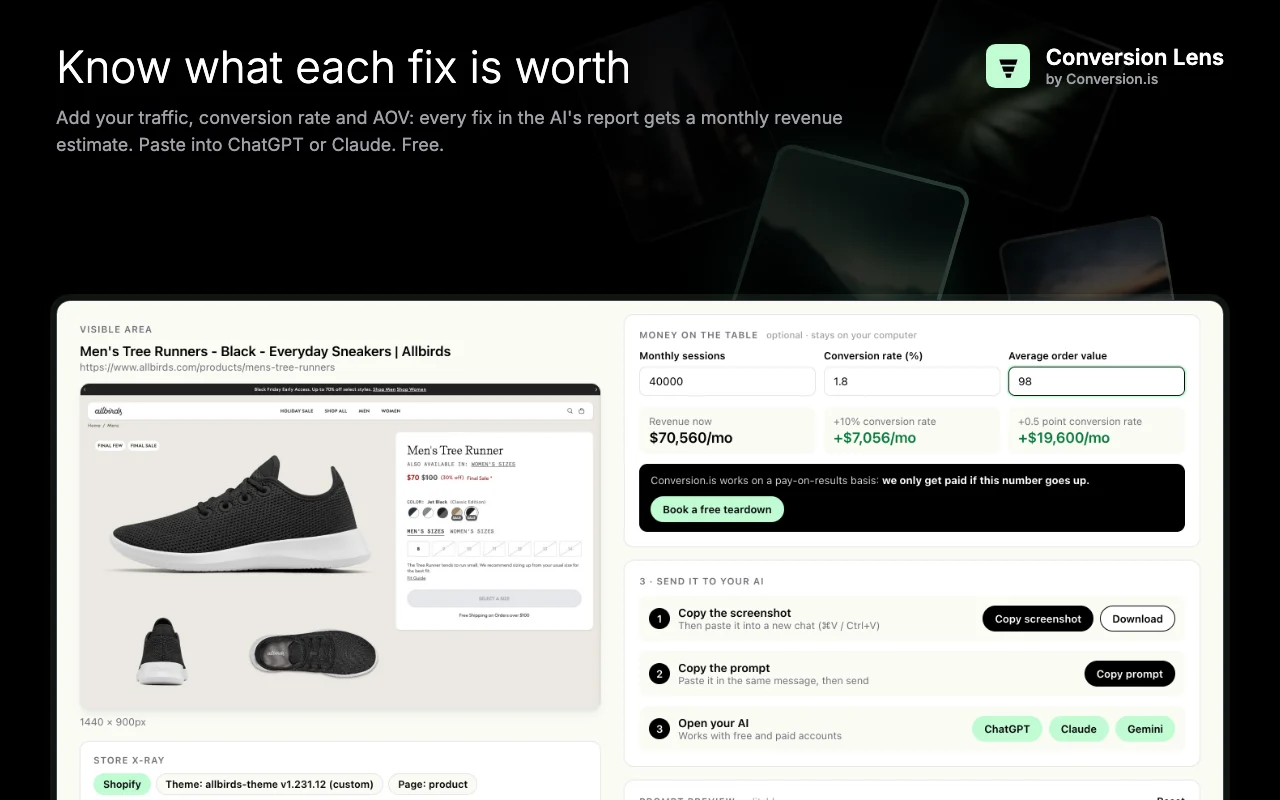
Know what each fix is worth
Add your monthly sessions, conversion rate and average order value. Conversion Lens shows what a lift is worth, and the AI puts an estimated monthly revenue impact on every recommendation. Then paste into ChatGPT, Claude or Gemini.
Built-in templates
13 expert analyses
Each one is a detailed prompt with a defined method and output format, so you get scores, tables and specific fixes instead of vague advice.
Attention heatmap
Predicts where eyes go first, with a grid heat map plus Focus and Clarity scores.
Full CRO audit
LIFT-model scorecard and the top 10 fixes ranked by ICE score.
5-second test
Does a visitor instantly get what it is, who it's for and what to do next?
CTA & conversion path
Every button reviewed for hierarchy, copy, contrast, placement and friction.
Copy & messaging
Finds vague, feature-only copy and rewrites the weakest lines.
Trust & anxiety
Audits social proof, guarantees and risk reducers, and what's missing.
Mobile UX
Thumb reach, tap targets, text size and what fits on the first screen.
E-commerce product page
Images, price, offer, add-to-cart, reviews and order-value ideas.
Collection page
Filters, sorting, product cards and merchandising that move shoppers to a product.
Ads landing page
Message match with your ad, focus, exits and form friction.
A/B test ideas
10 test hypotheses grounded in the page, prioritised with PIE scores.
Visual hierarchy & accessibility
Type, contrast, spacing and readability, with WCAG-minded fixes.
Forms & checkout friction
Field-by-field review and a leaner form that more people finish.
Three steps
Inspect, choose, paste
- 1
Inspect and capture
Click the icon on any store to see its theme and apps, and capture the visible area, full page, an area or mobile view.
- 2
Choose an analysis
Pick one of 13 templates and optionally add your goal, audience and traffic numbers.
- 3
Paste into your AI
Copy the screenshot and prompt into ChatGPT or Claude and send.
Questions
Frequently asked questions
Is Conversion Lens really free?
Yes. There's no account, no sign-up, no trial and no paid tier. The analysis runs in your own ChatGPT, Claude or Gemini chat, so Conversion Lens needs no servers or API keys.
How does it detect a store's theme and apps?
From public signals in the page's code: Shopify stores publish their theme name and version, and apps load scripts from recognisable addresses. Conversion Lens checks these locally in your browser. Detection covers 50+ well-known apps and may not catch every app or custom integration.
How does the attention heatmap work without eye tracking?
The Attention heatmap template asks the AI to predict attention from proven visual cues: size, contrast, colour, faces, position and visual weight. It returns a grid heat map, the likely viewing order, Focus and Clarity scores, and blind spots. It's an AI prediction, not measured eye-tracking data, and works best as a fast first read before you test.
Which AI should I use?
Any assistant that accepts images: ChatGPT, Claude or Gemini, on free or paid plans. Models with stronger image understanding give more detailed answers.
Does Conversion Lens see or store my data?
Screenshots, store details and any numbers you enter stay on your computer; only the last 10 captures are kept. The extension sends nothing to Conversion.is, Measure.co or anyone else, and only accesses the tab you click it on. What you paste into an AI chat is covered by that service's own policy.
Why split long pages into sections?
AI chats shrink very tall images until the text becomes unreadable. Sending a long page as a few sections keeps every headline, price and button legible, so the analysis is more accurate.
Who makes Conversion Lens?
Conversion Lens is built by Conversion.is, a pay-on-results growth agency for Shopify and DTC brands, with Measure.co. It isn't affiliated with Shopify, OpenAI, Anthropic or Google.
Read the full Conversion Lens privacy policy.
Find what’s costing you conversions
Run your first audit for free with Conversion Lens. Want the fixes designed, built and A/B tested for you? Conversion.is runs CRO for e-commerce brands, and you only pay on results.
Conversion Lens is not affiliated with Shopify, OpenAI, Anthropic or Google. Attention results are AI predictions, not measured eye-tracking data.