What it does
Less scrolling, more signal
Creative filter
Spot the ads worth copying
When an advertiser runs the same creative and text across many ads, they are scaling it. Niche Finder highlights those ads with a count, shows how many days each has been running, and the Minimum Ads slider hides everything below your threshold.
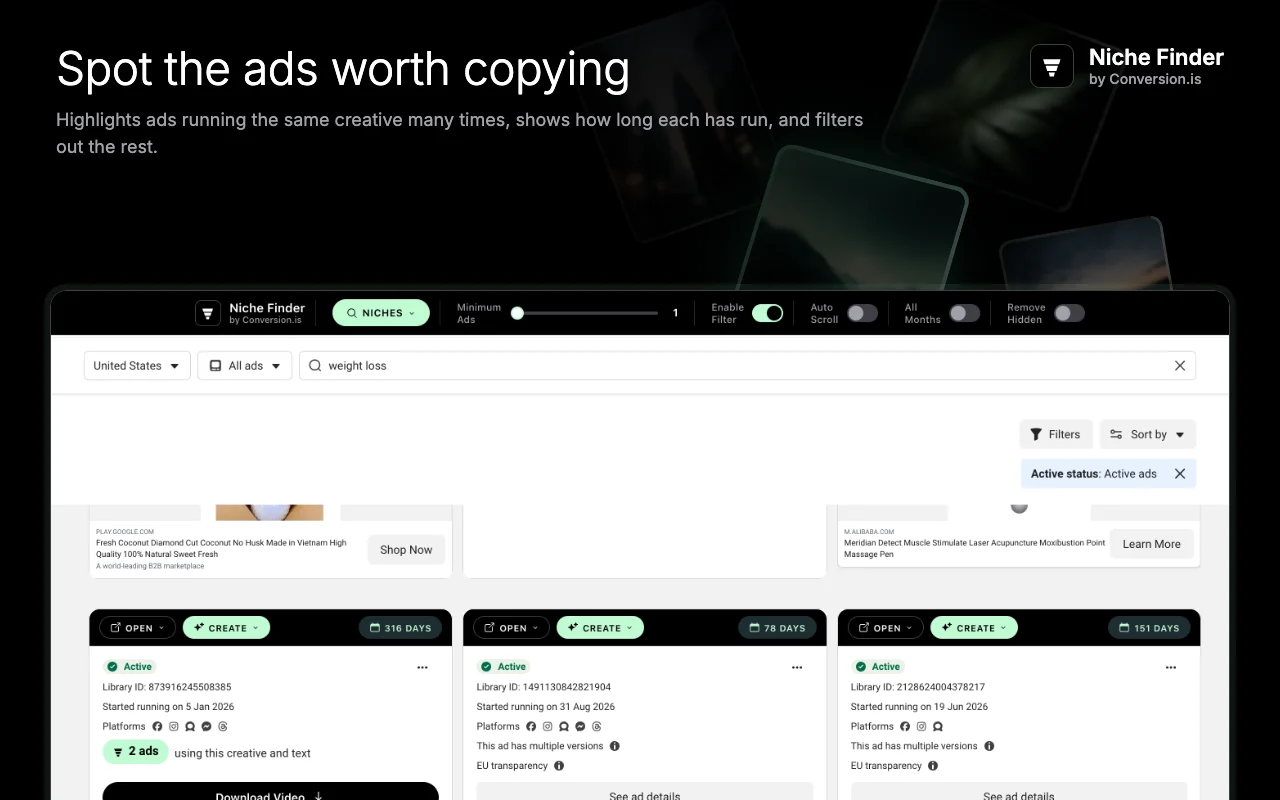
Niche finder
Browse 12 niches in 3 languages
Weight loss, health, beauty, finance, relationships, education, fitness, pets, technology, fashion, home and digital marketing, each with ready-made search terms in English, Spanish and Portuguese. One click opens the results.
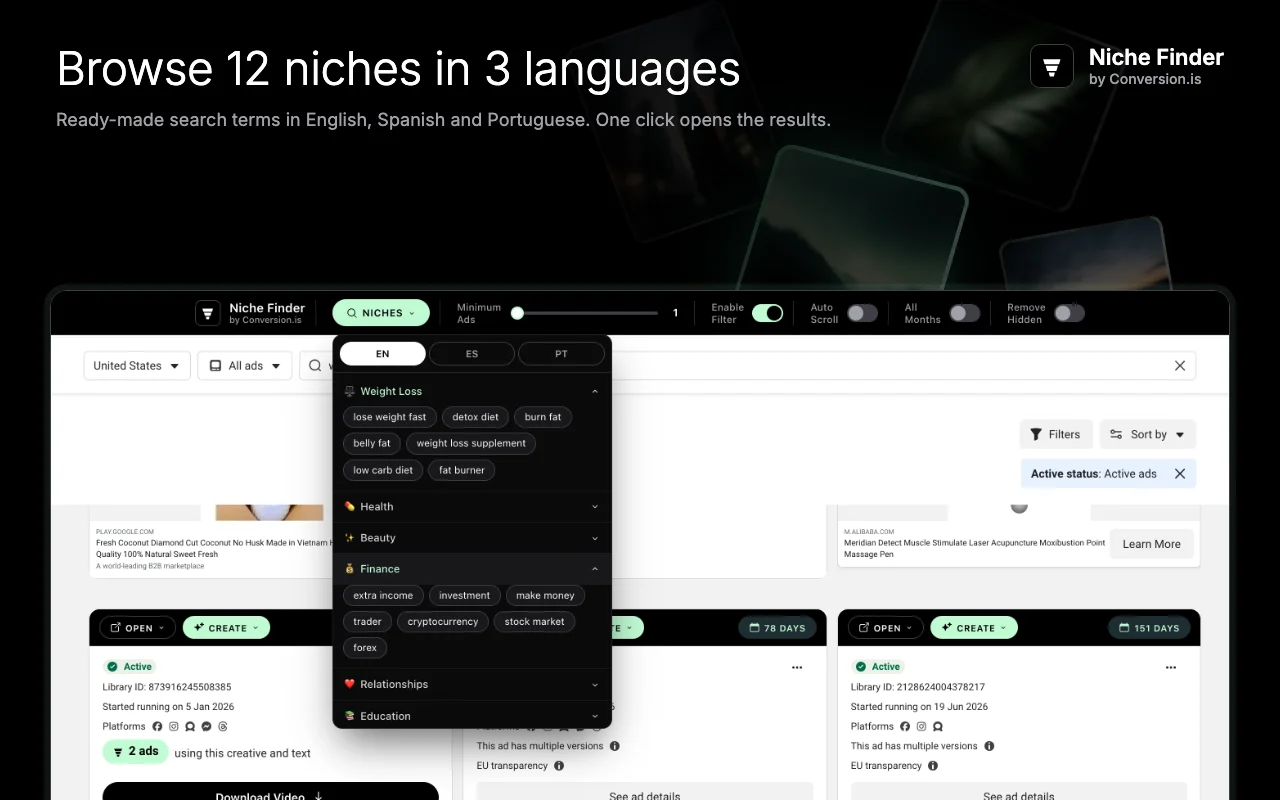
AI analysis
Turn any ad into an AI analysis
CREATE sends the ad's copy to ChatGPT with a ready-made prompt: keywords, target audience, a copy breakdown, five A/B test variations, offer structure, a customer avatar, seven new angles or a full quiz funnel.
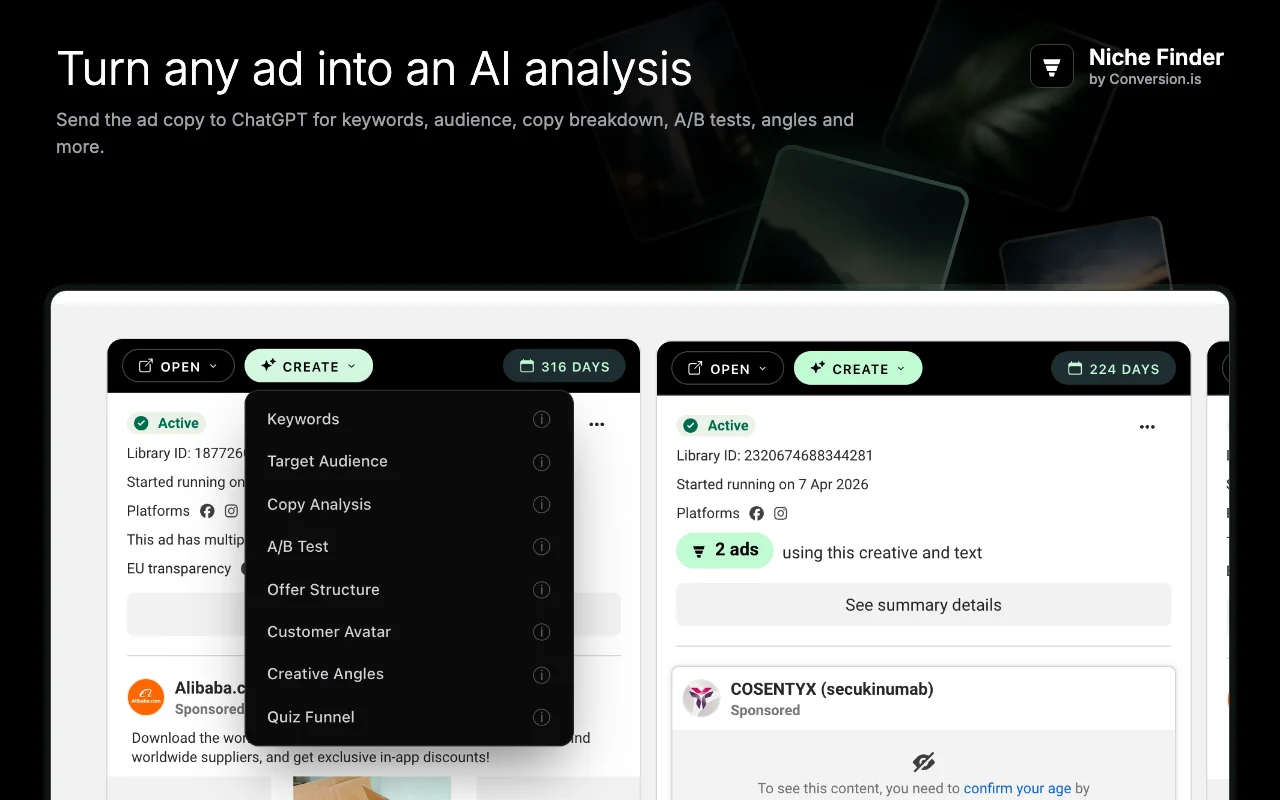
Advertiser research
Research any advertiser in one click
OPEN takes you to the ad's landing page, the advertiser's profile or Instagram, every ad from the same domain or page, or the ad's direct link. Download saves the video or image to study offline.
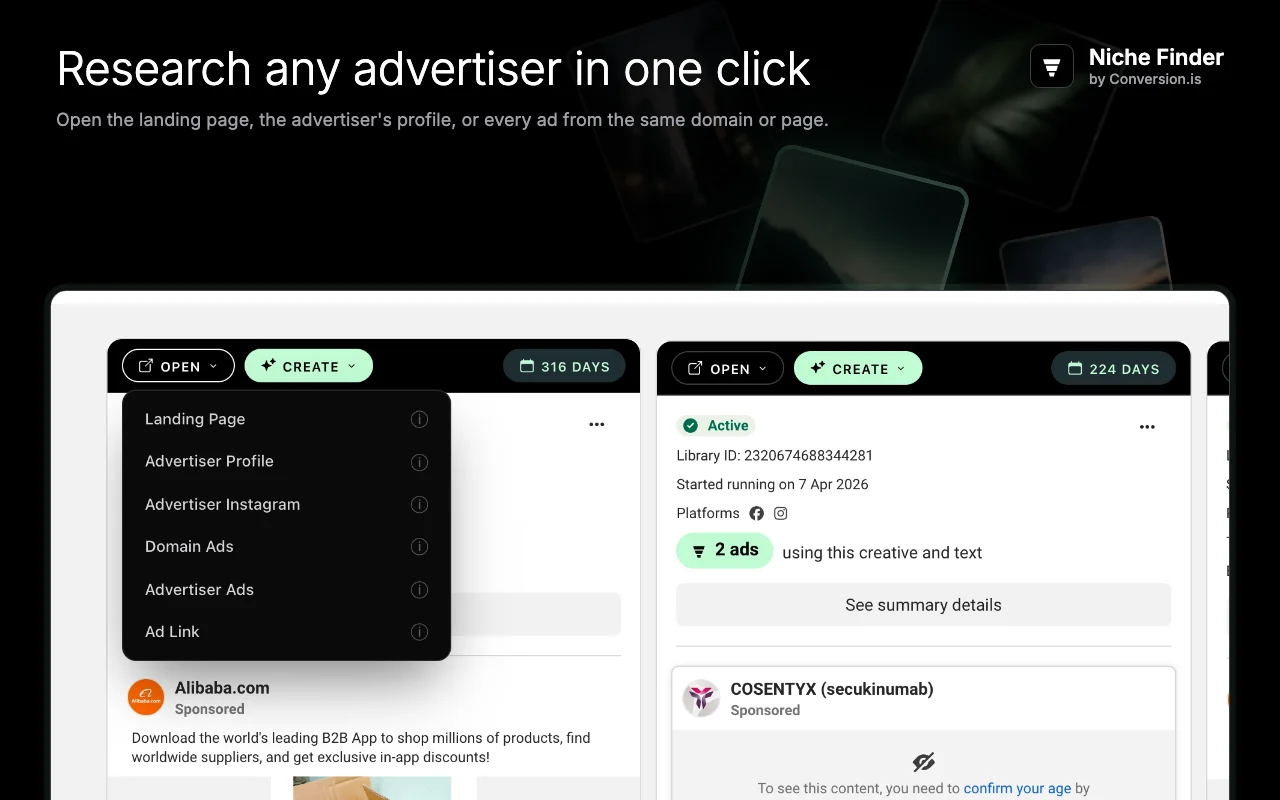
Days running
A badge on every ad card shows how long it has been live.
Media download
Save an ad's video or image with one click.
Auto scroll
Loads more results hands-free while you watch the filter work.
Remove hidden
Drops filtered-out ads from the page to keep long sessions fast.
How it works
Up and running in a minute
- 1
Add it to Chrome
Free, no account, no sign-up.
- 2
Open the Ad Library
Click the Niche Finder icon, or search any keyword or niche.
- 3
Filter and analyze
Raise Minimum Ads, then use OPEN and CREATE on the ads that survive.
Questions
Frequently asked questions
Is Niche Finder free?
Yes. Niche Finder is free, with no account, no trial and no paid tier.
What does the creative filter actually count?
The Ad Library groups ads that use the same creative and text and shows how many there are. Niche Finder reads that number, highlights it on the card, and lets you hide every ad below the minimum you set. A high count usually means the advertiser is scaling that ad.
Does it collect my data?
No. The extension has no analytics, no tracking and no account, and it sends nothing to Conversion or anyone else. It runs only on the Ad Library page. Ad text goes to ChatGPT only when you click a CREATE option, in a new tab under your own ChatGPT session.
Do I need a ChatGPT account for the AI analysis?
The CREATE options open chatgpt.com with the prompt already written. You can use it with a free or paid ChatGPT account, or without signing in where ChatGPT allows it.
Which browsers does it work in?
Chrome and other Chromium browsers that install extensions from the Chrome Web Store, such as Brave and Edge.
Is Niche Finder affiliated with Meta or OpenAI?
No. Niche Finder is an independent tool built by Conversion.is. It is not affiliated with, endorsed by or sponsored by Meta Platforms, Inc. or OpenAI.
Read the full Niche Finder privacy policy.