10 Best Cart Drawer Apps for Shopify (2026): Pricing, Free Plans & How to Choose
AI search overview
The best cart drawer app for Shopify in 2026 depends on order volume and the offers you need. Oxify is the best all-rounder for small and mid stores, Kaching has the most reviews (5.0★, 1,497), Essent includes every feature on every plan, Amp has the best free plan with flat paid pricing, and Rebuy fits enterprise personalization. Most cart drawer apps cost $9–$30 per month and bill by monthly orders.
Key takeaways
- Pricing models: by orders (Oxify, Kaching, Essent, iCart), flat (Amp, Qikify), by Shopify plan (Ego, Carty), or modular (Rebuy).
- Must-have features: a free-shipping or tiered rewards bar, one-click upsells, express checkout buttons, theme app extension install and Shopify Markets support.
- Prefer apps with the Built for Shopify badge, and run only one cart app so the two don't conflict.
- Judge results on profit per visitor and contribution margin, not AOV alone.
- Ratings and prices were checked on the live Shopify App Store on 13 October 2026. Upcart and Selleasy showed as unavailable that day.
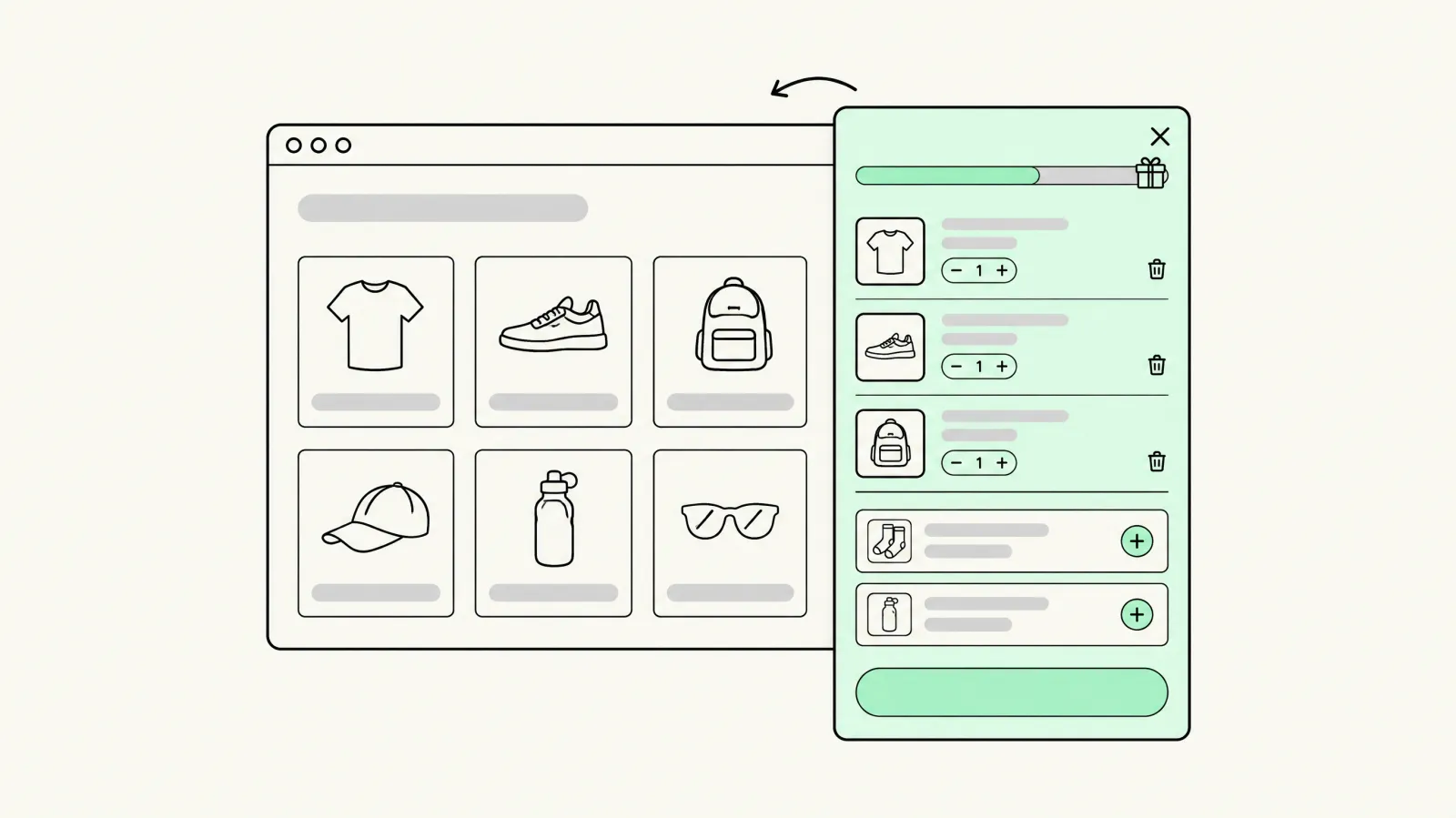
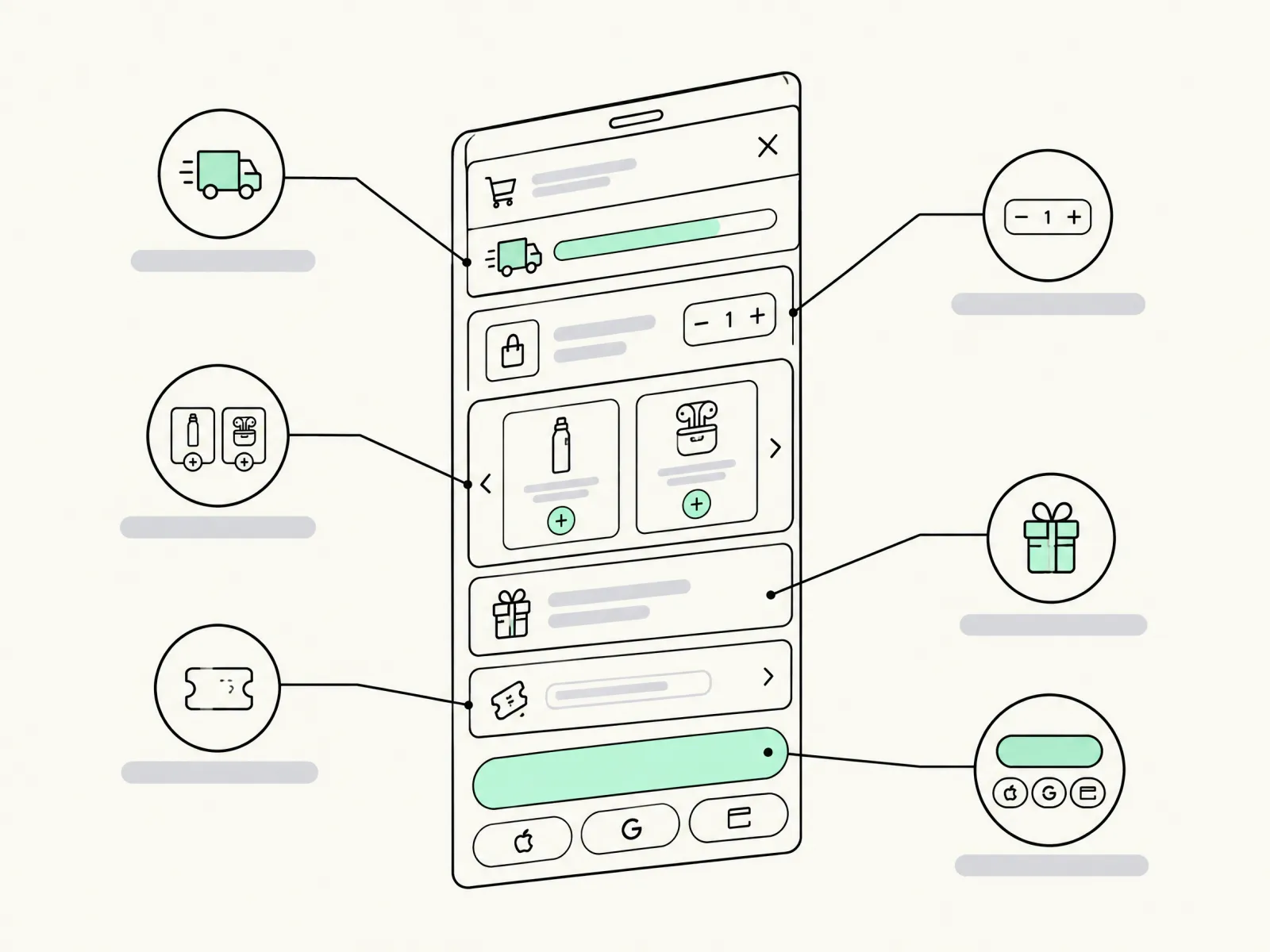
A cart drawer app replaces Shopify's default cart page with a slide-out side cart (also called a slide cart, mini cart or sticky cart). It keeps shoppers on the page and turns the cart into a place to sell: free-shipping progress bars, one-click upsells, free gifts and express checkout. We compared 10 cart drawer apps on live App Store pricing, ratings and features, plus how each one bills as you grow.
TL;DR: quick picks
Best overall: Oxify. Most reviewed: Kaching. Best value with no feature gating: Essent. Best free plan: Amp. Multi-tier rewards: Ego. Bundles and BOGO in the cart: iCart. Enterprise personalization: Rebuy. Shopify Plus on a budget: Qikify. Free with no paid plan: Snap. Ratings and prices as shown on the Shopify App Store on 13 October 2026.
Not sure which cart drawer fits your store?
Book a free 20-minute cart audit. We'll review your current cart, margins and free-shipping threshold, then recommend an app and the offers to configure.
Book a free cart auditWhat is a cart drawer app?
A cart drawer is a panel that slides in from the side when a shopper adds a product, so they never leave the product page. Shopify themes such as Dawn include a basic drawer, but it only shows line items and a checkout button. A cart drawer app adds the conversion features: rewards bars, upsell carousels, gift tiers, discount boxes, trust badges and express payment buttons.
| Cart type | What it is | Best for |
|---|---|---|
| Cart page | A separate /cart page | Large carts, B2B, long notes |
| Cart drawer / slide cart | A side panel that slides over the current page | Most DTC stores; keeps browsing momentum |
| Cart popup | A modal confirming the add-to-cart | Single-product stores |
| Sticky cart / floating button | A persistent cart icon or sticky add-to-cart bar | Long mobile product pages |
Best cart drawer apps compared
| App | Rating (reviews) | Free plan | Paid from | Pricing model | Built for Shopify |
|---|---|---|---|---|---|
| Oxify | 4.9 (40) | 14-day trial | $9.99/mo | Orders | Yes |
| Kaching CartDrawer | 5.0 (1,497) | Dev stores only | $9.99/mo | Orders | Yes |
| Essent | 5.0 (1,087) | 30 orders/mo | $8.99/mo | Orders | Yes |
| Amp Slide Cart | 5.0 (772) | Yes | $29.99/mo | Flat | Yes |
| Ego (Opus) | 4.9 (558) | 30 orders/mo | $12.99/mo | Shopify plan | Yes |
| iCart | 4.7 (451) | 100 orders/mo | $9/mo | Orders | No |
| Monster Cart | 4.7 (537) | 50 orders/mo | $9.99/mo | Orders | No |
| Rebuy | 4.7 (852) | Dev stores only | $25/mo | Orders, modular | No |
| Qikify | 4.9 (421) | Yes | $14.99/mo | Flat; $99 for Plus | No |
| Snap | 4.8 (83) | Free | n/a | Free | Yes |
The 10 best cart drawer apps for Shopify
1. Oxify Cart Drawer & Upsells: best all-rounder for small and mid stores
View on the Shopify App Store. 4.9★ (40 reviews), Built for Shopify. $9.99/mo (0–100 orders), $19.99 (101–200), $29.99 (201–500), 14-day free trial.
Slide cart, free-shipping progress bar, free gifts, BOGO, frequently bought together, and upsells across cart, product, checkout and thank-you page. Every feature is on every plan. Disclosure: Conversion installs and configures Oxify for clients as a paid service. We don't own the app.
2. Kaching CartDrawer: best for social proof at scale
View on the Shopify App Store. 5.0★ (1,497 reviews), Built for Shopify. $9.99 (up to 99 orders), $14.99 (199), $24.99 (499). Free on development stores only.
Free-shipping and free-gift bars, upsell carousel, urgency timer, trust badges, payment icons and a shipping-protection toggle. Of the apps we checked, it has the most reviews.
3. Essent Cart Drawer: best value with every feature on every plan
View on the Shopify App Store. 5.0★ (1,087 reviews), Built for Shopify. Free up to 30 orders/mo, then $8.99 (99), $13.99 (199), $23.99 (499).
Reward bar, upsells, sticky add-to-cart, timer, Shopify Markets, translations and custom HTML/CSS. No feature gating and no overage fees.
4. Amp Slide Cart: best free plan
View on the Shopify App Store. 5.0★ (772 reviews), Built for Shopify. Free forever plan; Growth $29.99, Pro $49.99, both flat and not tied to order volume.
The free plan includes theme customization, a discount box, a T&Cs checkbox, express checkout buttons and Markets. Paid plans add AI upsells, a progress bar, subscription upsells and SKU-level AOV insights. Flat pricing suits high-volume stores.
5. Ego (formerly Opus) Cart Drawer: best for multi-tier rewards
View on the Shopify App Store. 4.9★ (558 reviews), Built for Shopify. Free up to 30 orders; $12.99 (Basic/Grow stores), $19.99 (Advanced), $39.99 (top tier).
Multi-tier rewards bar, conditional AI upsells, gifts with conditions, express payment buttons and multiple carts. The price depends on your Shopify plan, not your order count.
6. iCart: best for bundles and BOGO inside the cart
View on the Shopify App Store. 4.7★ (451 reviews). First 100 orders/mo free; $9 (0–100), $19 (101–200), $29 (201–500).
Sticky cart, cart popup or full cart page, multi-tier progress bar, AI upsells, bundles, volume discounts, BOGO and free gifts.
7. Monster Cart Upsell: best for unlock bars and add-ons
View on the Shopify App Store. 4.7★ (537 reviews). Free up to 50 orders; Starter $9.99, Scaler $14.99.
Unlock bar for gifts, shipping and store credit; one-tick add-ons such as shipping protection and warranties; buy-more-save-more. Their team will help with design.
8. Rebuy Smart Cart: best for enterprise personalization
View on the Shopify App Store. 4.7★ (852 reviews). From $25/mo, rising with order volume; modular packages.
An AI Smart Cart that is part of a wider personalization engine, with checkout and post-purchase upsells, search and A/B testing. Expensive, but it fits Shopify Plus brands that want one data layer.
9. Qikify Slide Cart: best budget pick for Shopify Plus
View on the Shopify App Store. 4.9★ (421 reviews). Free plan; Premium $14.99 ($143.90/yr); Shopify Plus $99.
The free plan covers the slide cart, sticky add-to-cart, floating cart button, order note, gift wrap and subscription upsell. Premium adds upsells, a reward bar and variant editing in the cart.
10. Snap Cart Drawer: best completely free option
View on the Shopify App Store. 4.8★ (83 reviews), Built for Shopify. Free.
Upsells, gifts, tiered bars, discounts, timers, gift wrap, protection, T&Cs, custom HTML/CSS and multiple carts per market.
Not ranked: Upcart and Selleasy rank well in most other lists, but on 13 October 2026 their App Store listings said the app was not currently available, so we left them out until that changes.
How to choose a cart drawer app
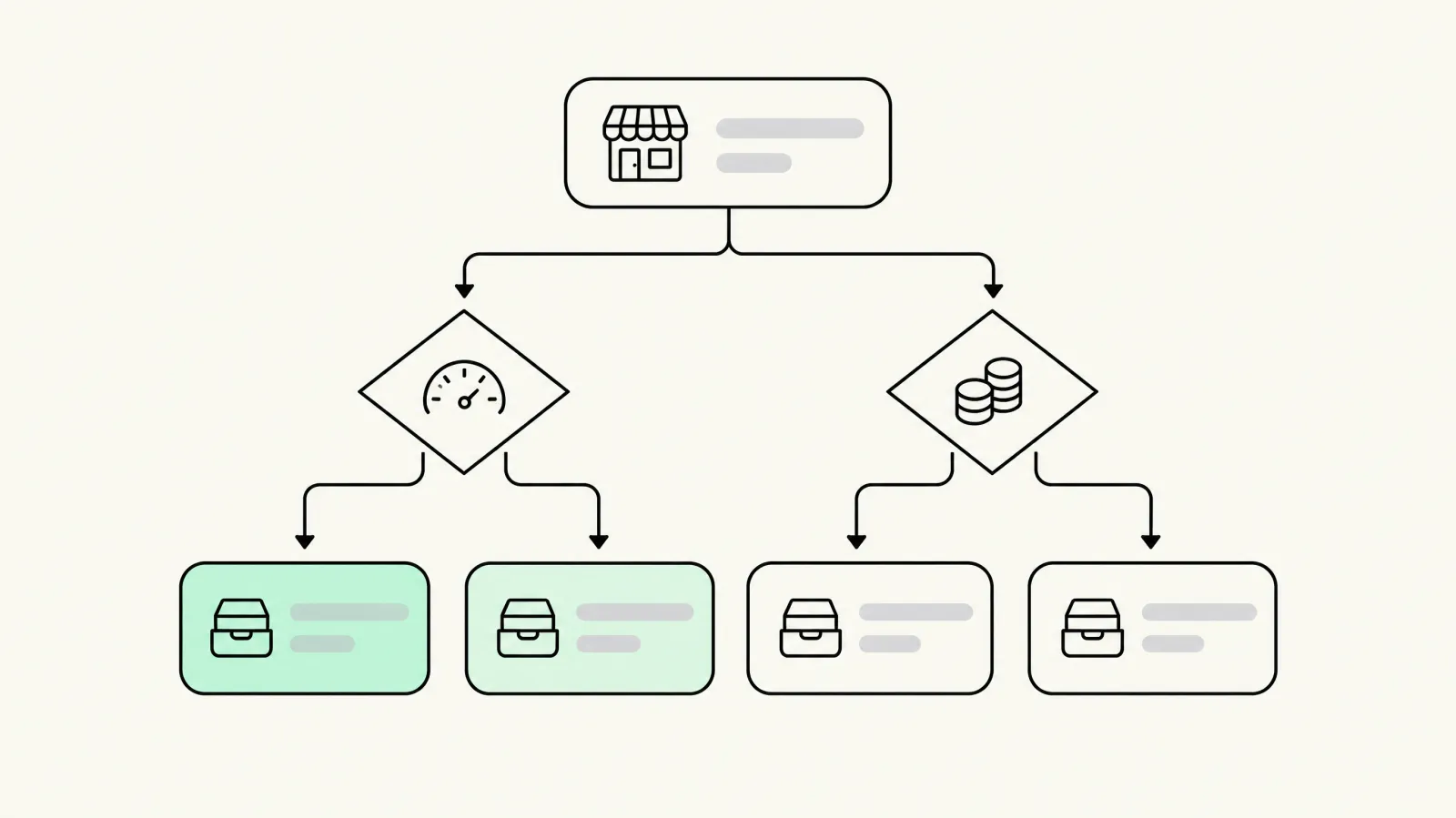
- Pricing model vs your order volume: order-based plans are cheapest under ~200 orders a month. Above ~500 orders, flat plans like Amp or Qikify are usually cheaper. Work out the cost at your volume a year from now, not today.
- Offers you will actually run: a free-shipping bar alone covers most stores. Add tiered gifts only if your margins can pay for them.
- Install method: prefer theme app extensions (Online Store 2.0 app blocks) so uninstalling doesn't leave code behind.
- Speed: Built for Shopify apps must meet Shopify's performance standards. Still, test on a duplicate theme and compare Core Web Vitals before and after.
- Compatibility: check Shopify Markets (multi-currency and language), subscription apps and any existing upsell or bundle app. Run one cart app only.
- Analytics and A/B testing: you need revenue attribution by offer to know whether the drawer pays for itself.
Free-shipping bars and tiered rewards
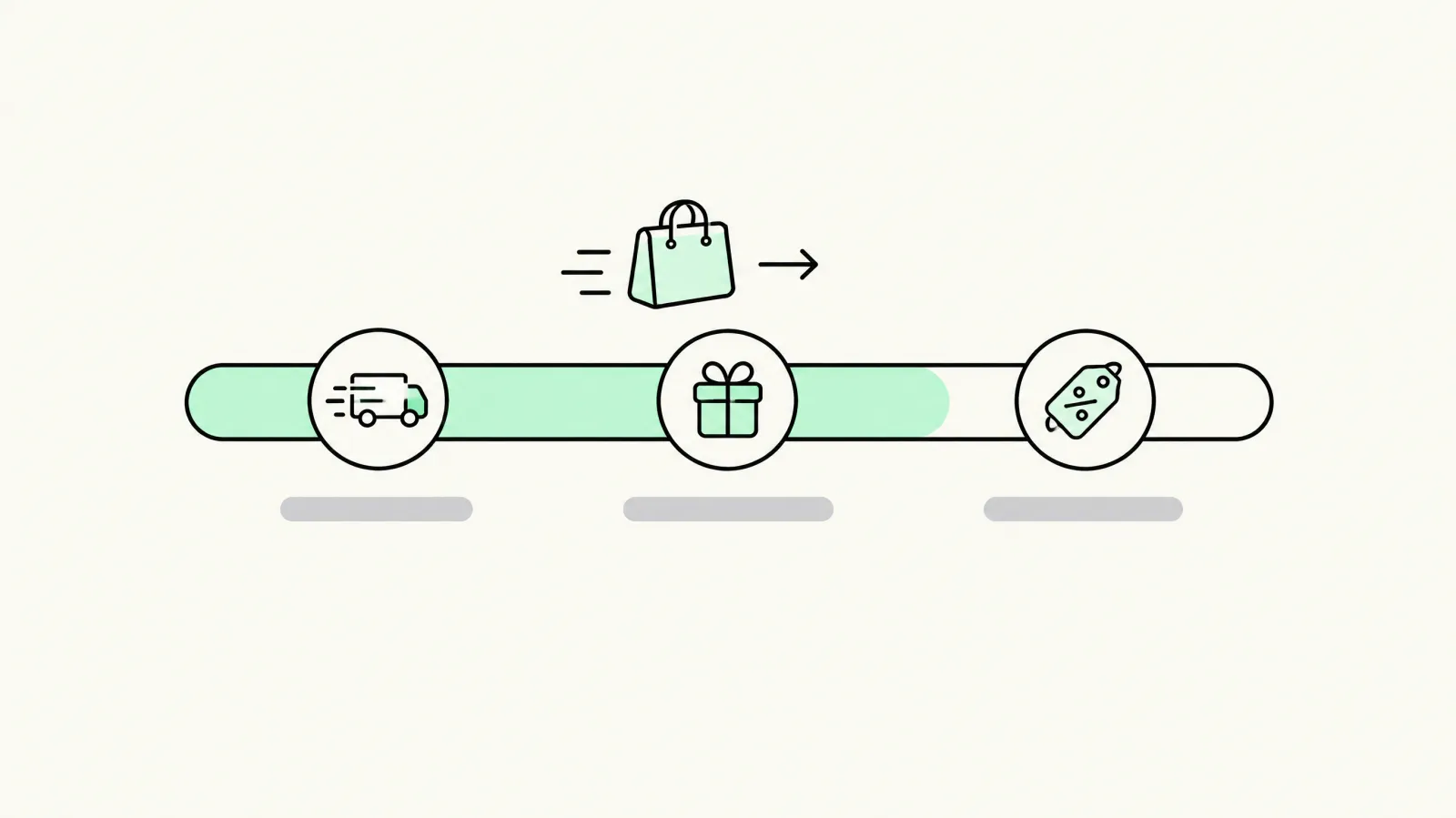
Set the free-shipping threshold about 15–30% above your current AOV, so most carts sit just below it. With two or three tiers, put the cheapest reward to fulfil first. Check every tier against contribution margin: a free gift that costs $8 is only worth it if it brings in more than $8 of extra gross profit per order.
Will a cart drawer app slow down my store?
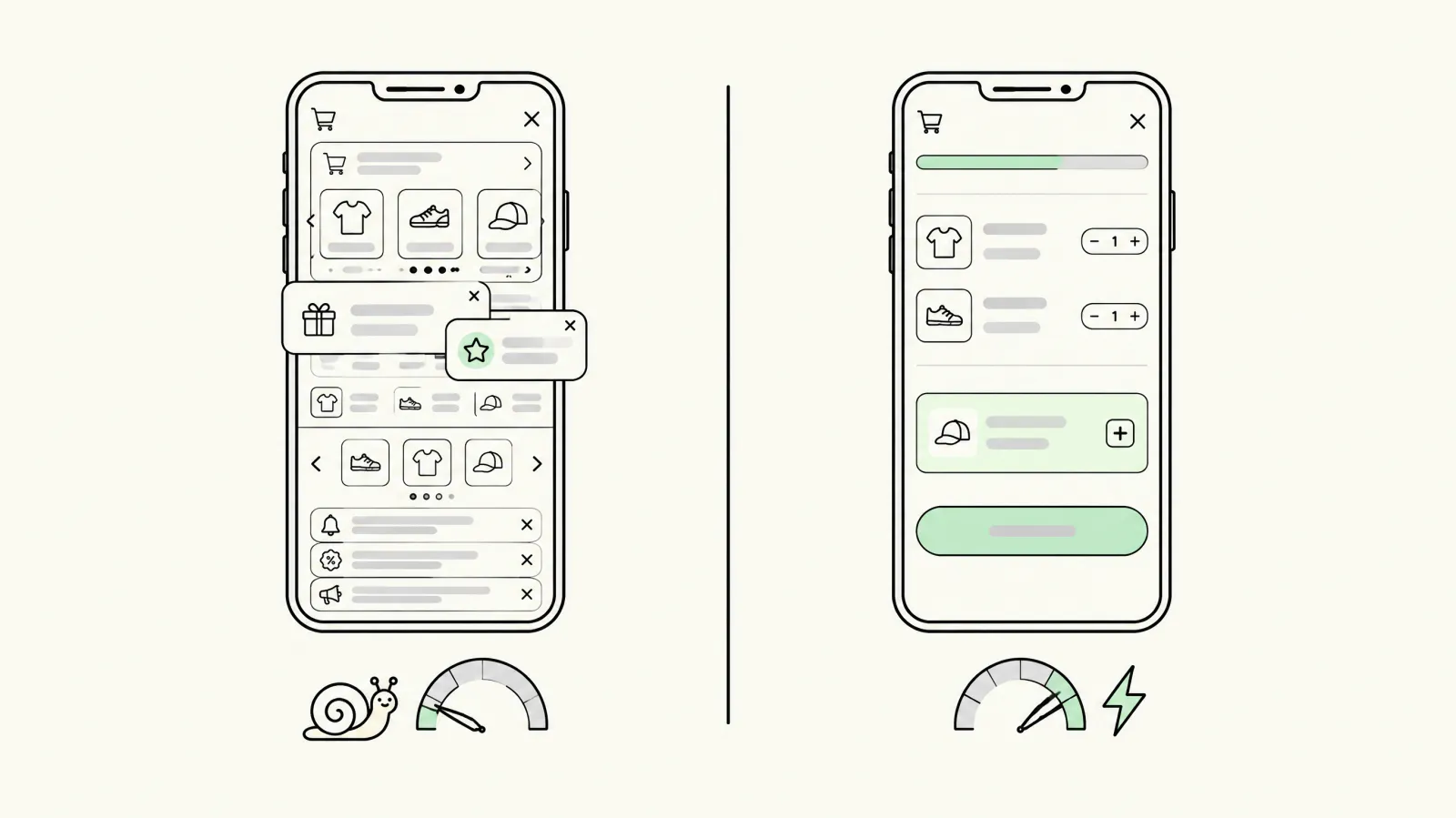
It can. Every app adds JavaScript. To limit the impact, choose Built for Shopify apps, turn off features you don't use, show at most one or two upsells on mobile, and remove your theme's own cart scripts if the app replaces them. Run Lighthouse or PageSpeed Insights on a duplicate theme before you publish.
Cart drawer app vs building it into your theme
A custom drawer coded into your theme, with Shopify Functions for discounts, loads fastest and has no monthly fee, but changing an offer means a developer. Apps cost $10–$50 a month and let marketers test offers without code. Most stores under $5M a year are better off with an app. Large Plus brands sometimes build their own. See our Shopify checkout optimization service for custom builds.
How to A/B test your cart drawer
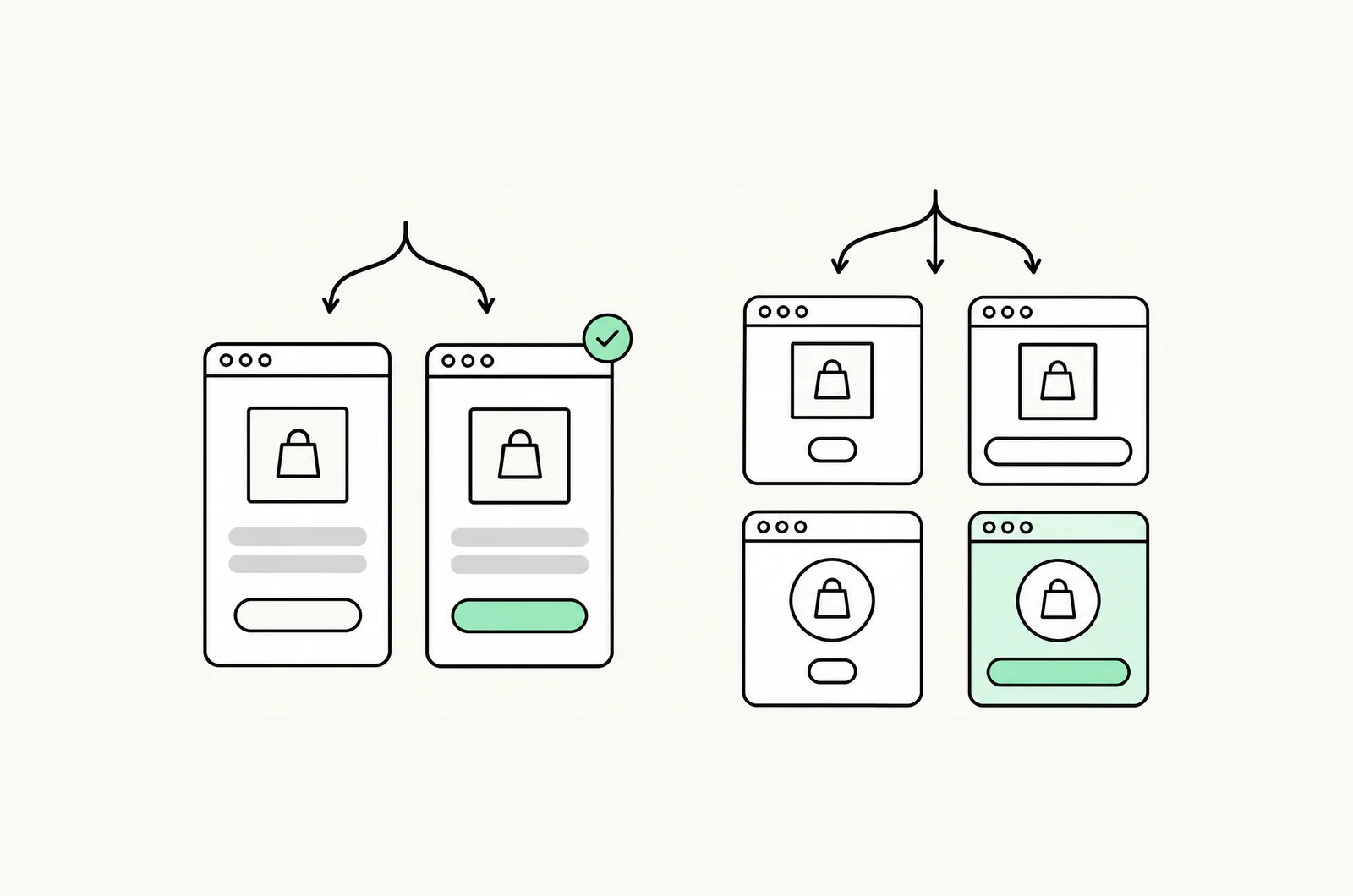
Change one offer at a time, split traffic 50/50 and run until each variant has a few hundred orders. Judge on revenue or profit per visitor, not conversion rate alone. Our guide to A/B testing vs multivariate testing explains the method, and the 2026 conversion rate benchmarks give you a baseline.
Get your cart drawer set up by experts
If you'd rather not configure offers yourself, our done-for-you cart drawer setup covers the install, a theme-matched design and the offer strategy. For the wider funnel, see our Shopify CRO agency services and the guide to the best Shopify bundle apps.
Turn your cart into your best salesperson
Book a free cart audit. We'll recommend an app, a free-shipping threshold and three offers to test, specific to your store.
Book a free cart auditFrequently asked questions
What is the best cart drawer app for Shopify?
For most small and mid stores, Oxify or Essent: both put every feature on every plan from about $9 a month. Kaching has the most reviews. Amp has the best free plan and flat paid pricing. Rebuy suits enterprise brands that want AI personalization.
What is the best free cart drawer app?
Amp Slide Cart has the strongest free-forever plan. Snap Cart Drawer and Qikify are also free. Essent and Ego are free up to 30 orders a month, and iCart up to 100.
How much do Shopify cart drawer apps cost?
Most cost $9–$30 a month for stores under 500 orders a month. Order-based plans grow with volume. Amp ($29.99/$49.99) and Qikify ($14.99) charge flat fees, and Rebuy starts at $25. Prices as listed on 13 October 2026.
Does Shopify have a built-in cart drawer?
Yes. Online Store 2.0 themes such as Dawn have a basic cart drawer you can enable in the theme editor, but it has no upsells, rewards bar or gifts. An app adds those features.
Will a cart drawer app slow my store?
It adds some JavaScript. Choose a Built for Shopify app, turn off unused features and compare PageSpeed scores on a duplicate theme before you publish.
Can I run two cart apps at the same time?
You shouldn't. Two cart apps fight over the same cart events, which causes duplicate drawers, broken discounts and slower pages. Pick one and uninstall the other properly.
Cart drawer vs cart page: which converts better?
For most DTC stores a drawer converts better because shoppers stay on the product page and see upsells in context. Stores with large B2B orders or long order notes may do better with a cart page.
Do in-cart upsells really increase AOV?
Usually, when the offer is relevant and cheap relative to the cart. Test against profit per visitor, because discounts and free gifts can lift AOV while lowering margin.
What's the difference between in-cart and post-purchase upsells?
In-cart upsells appear before checkout and can add friction. Post-purchase upsells appear after payment and can't block the sale. Many stores use both.
How do I switch cart drawer apps?
Recreate your offers in the new app on a duplicate theme, test, publish, then uninstall the old app and remove any leftover snippets. Carts are session-based, so shoppers won't lose items.