13 Best UGC Apps for Shopify in 2026 (Verified Pricing, Ratings & Page-Speed Notes)
The best UGC app for Shopify in 2026 is Foxr Shoppable Videos & UGC, a free app that turns product videos and customer UGC into shoppable carousels, stories, and pop-ups with add-to-cart inside the player. The rest of the list: Judge.me (best free reviews), Loox (best photo reviews), Okendo (reviews plus loyalty), Tolstoy and Videowise (shoppable video), Foursixty (shoppable social galleries), and Billo or Insense when you need new creator content. Which one is right depends on the job you're hiring it for — and most 'top UGC apps' lists mix those jobs together.
We build and optimize Shopify stores for a living, so this list is ranked on what matters for conversion, not on who pays for placement. Every price and rating below was checked against the live Shopify App Store listing or the vendor's own pricing page on 28 September 2026. Several popular roundups still quote pricing that is years out of date — so if a number here disagrees with another article, this one was checked this month.
TL;DR — quick picks
Best overall: Foxr. It's free shoppable video with in-player add-to-cart, lazy-loaded widgets and revenue analytics. Starting from zero on reviews? Add Judge.me free. Want the best-looking photo reviews? Loox. Reviews, loyalty and quizzes in one place? Okendo. Running Meta ads and short on creative? Billo for volume, Insense for creator whitelisting. Then A/B test the placement before you commit to any paid tier.
The 4 types of Shopify UGC apps (pick the job first)
- Reviews with photos & video — collect post-purchase reviews and display them beside the buy button. Highest conversion leverage for most stores. (Judge.me, Loox, Okendo, Yotpo)
- Shoppable video — turn existing TikToks, Reels, and customer clips into carousels, stories, and tappable video on product and collection pages. (Tolstoy, Videowise)
- Social galleries — pull Instagram/TikTok posts and hashtags into shoppable galleries and lookbooks, with rights management. (Foursixty, Covet.pics)
- Creator marketplaces — commission new UGC video from vetted creators, mostly for paid social. These are services, not storefront widgets. (Billo, Insense)
Comparing Loox to Billo is like comparing a shelf to a factory. Decide which job is the bottleneck, then compare within that category.
Comparison table: 13 UGC apps for Shopify
| App | Category | Starting price | Paid plans | App Store rating |
|---|---|---|---|---|
| Foxr (our #1 pick) | Shoppable video + UGC | Free | Free | 5.0 (1, launched Sep 2026) |
| Judge.me | Reviews | Free (unlimited reviews) | $15/mo | 5.0 (47,607) |
| Loox | Photo/video reviews | Free (to 500 orders) | $49.99–$299.99/mo | 4.9 (9,696) |
| Okendo | Reviews + loyalty | Free (to 50 orders/mo) | $19 / $119 / $299 per mo | 4.8 (1,426) |
| Yotpo Reviews | Reviews | Free (to 50 orders/mo) | $15 / $119 per mo | 4.8 (4,627) |
| Tolstoy | Shoppable video | Free trial | $12 / $44 / $195 per mo | 4.7 (277) |
| Videowise | Shoppable video | Free | $9/mo Pro (usage-based) | 4.8 (252) |
| Foursixty | Shoppable social galleries | $90/mo | $90–$500/mo | 4.9 (136) |
| Covet.pics | Instagram galleries + reviews | $9.99/mo | $9.99 / $29.99 / $79.99 per mo | 4.7 (207) |
| Billo | Creator marketplace | ~$99 per video | Bundles from ~$500 | N/A (marketplace) |
| Insense | Creator marketplace + ads | $500/mo | $500 / $800 per mo + creator fees | N/A (marketplace) |
| Native Shopify product video | Built-in media | Free | — | — |
| Managed UGC agency | Strategy + production + testing | Project-based | Custom | — |
Ratings and review counts from the Shopify App Store, 28 Sep 2026. Creator marketplace pricing from vendor pricing pages and published 2026 breakdowns. *Shopify retired its own Product Reviews app, which is why Judge.me became the default free replacement. Prices change often — confirm on the listing before you install.
How we evaluated these apps
- Conversion placement: does the content show up where the buying decision happens (product page, cart, checkout-adjacent), or only on a homepage gallery?
- Verified market standing: live App Store rating and review volume, not vendor claims.
- Pricing model: flat, order-based, impression-based, or per-video — the model matters more than the sticker price once you scale.
- Page-speed cost: how heavy the widget is and whether it supports lazy-loading. A UGC widget that adds a second to mobile load can cancel out its own lift.
- Channel reach: syndication to Google Shopping, Meta, TikTok, and the Shop app, and integrations with Klaviyo.
Our #1 pick
1. Foxr Shoppable Videos & UGC — best UGC app for Shopify
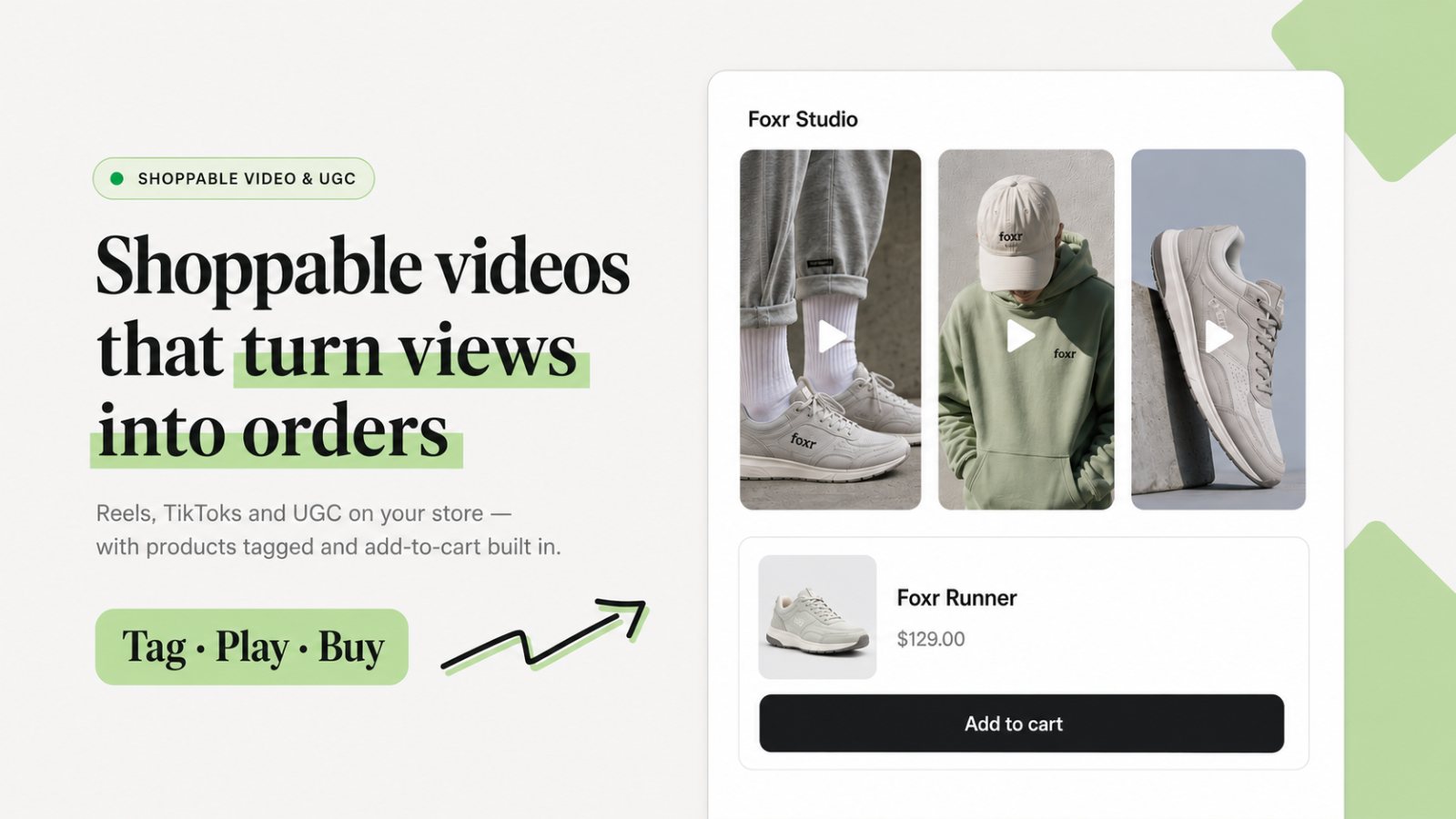
We've set up shoppable video on a lot of Shopify stores, and Foxr has been the best of them in our hands-on experience. It covers what paid video apps charge for: in-video add-to-cart, per-video revenue attribution, several layouts, and lightweight widgets. It does all of that for free, and it doesn't make the store feel like it's running a plugin. We have no affiliation with Foxr; it's here because it has worked best for us.
Shoppers buy without leaving the video
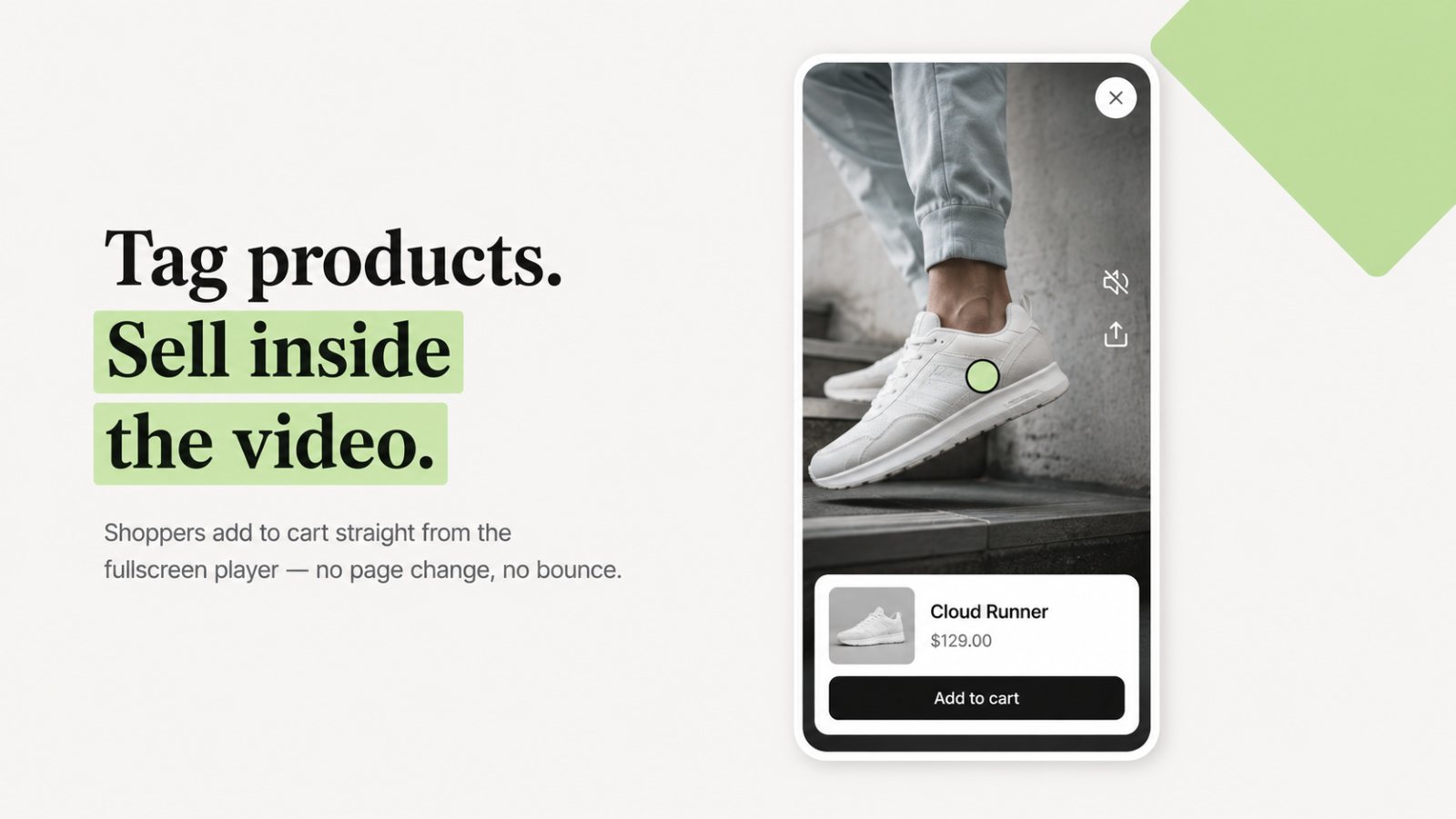
You tag products inside each video. In the full-screen player, shoppers pick a variant and add to cart with no page change. That removes the usual drop-off where a shopper taps a video, lands on a product page, and loses the thread. You upload into one video library and reuse clips across product, collection, and home pages.
Revenue per video, with A/B testing built in
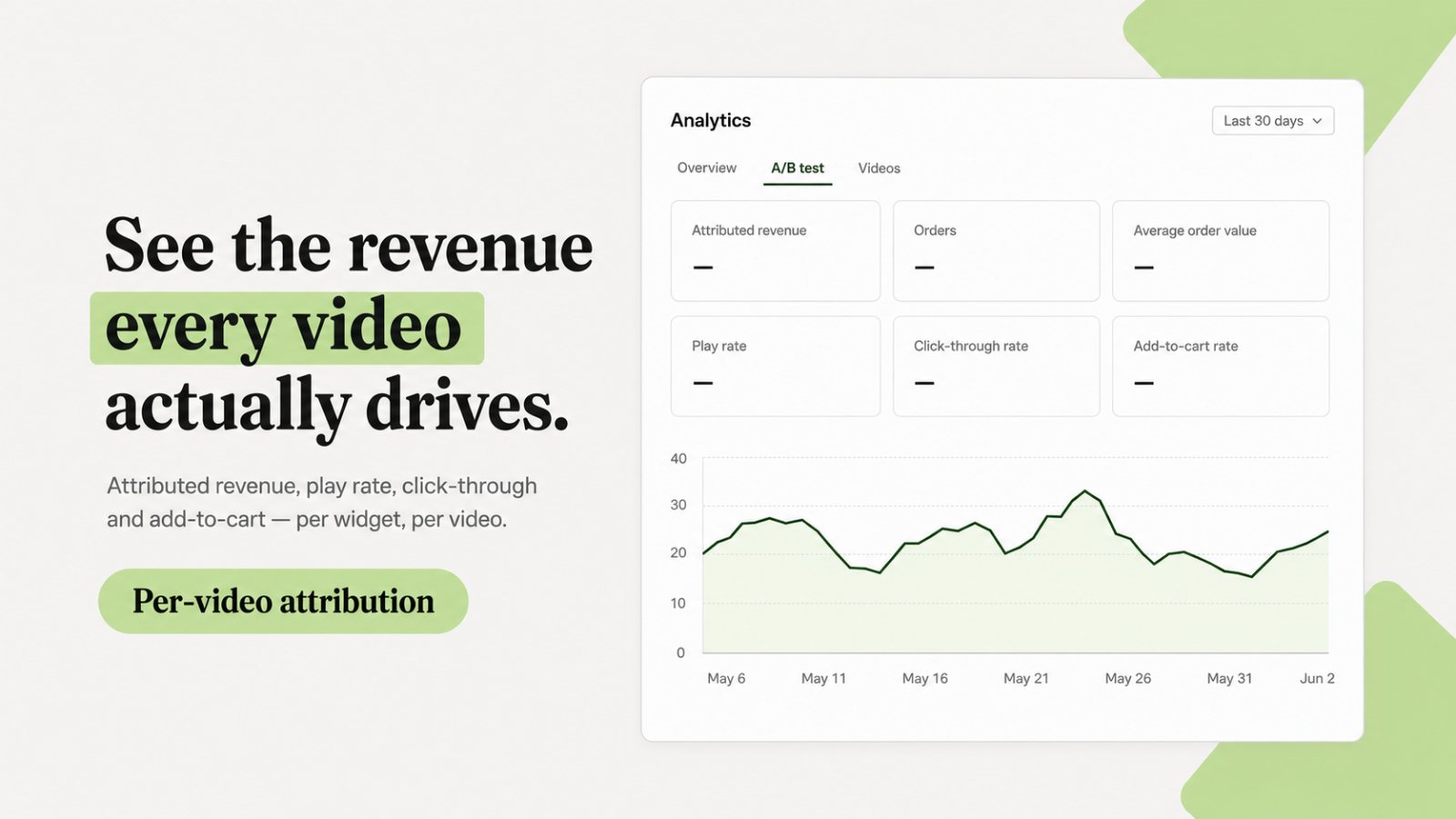
Foxr's analytics break down attributed revenue, orders, average order value, play rate, click-through, and add-to-cart rate for each widget and each video. There's also an A/B test view. That matters because vendor 'attributed revenue' on its own isn't proof of lift. Being able to split-test inside the app is how you find out whether the video is actually earning its place (more on that in our A/B testing guide).
Built to load light, and to be found by search and AI
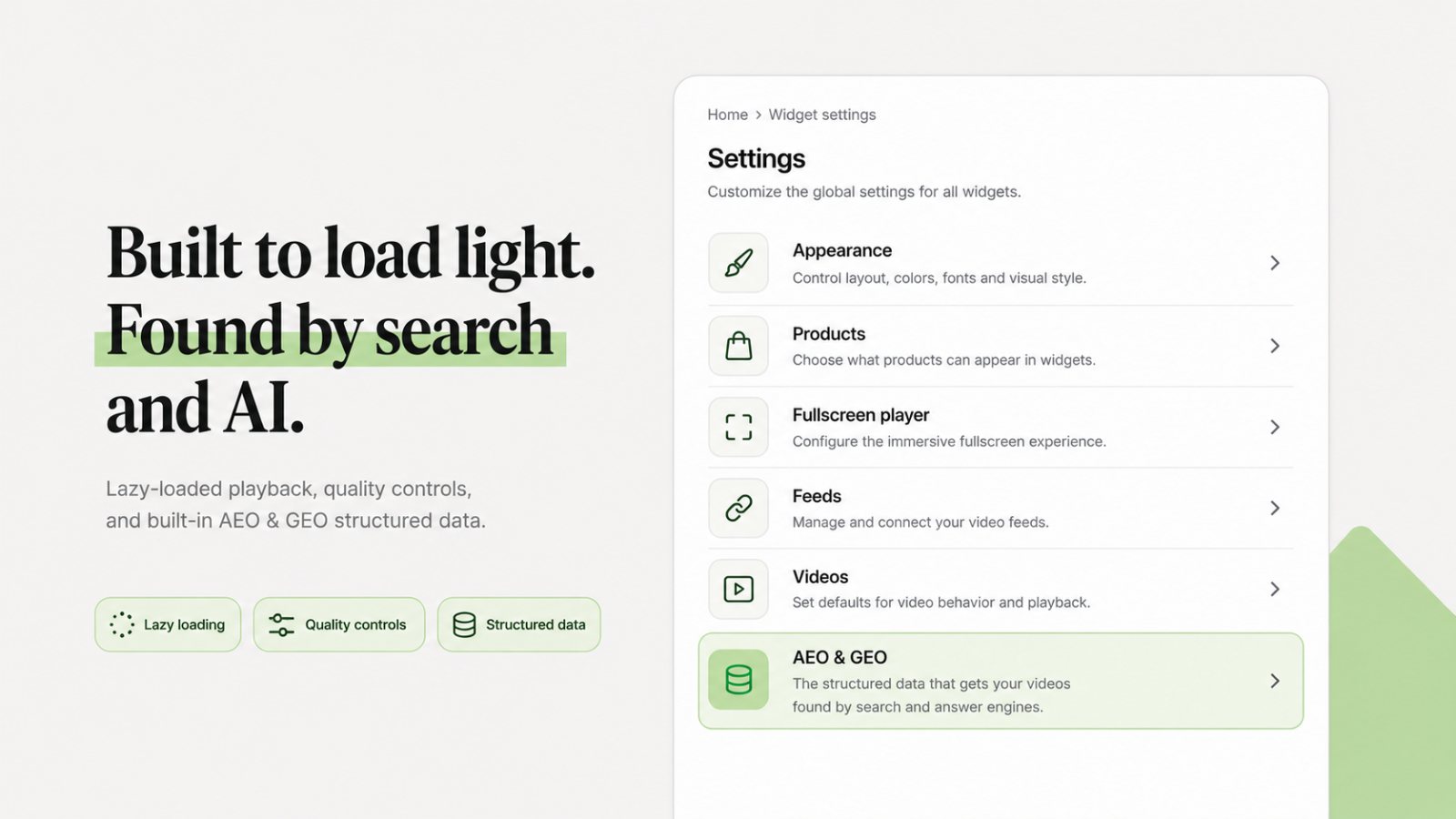
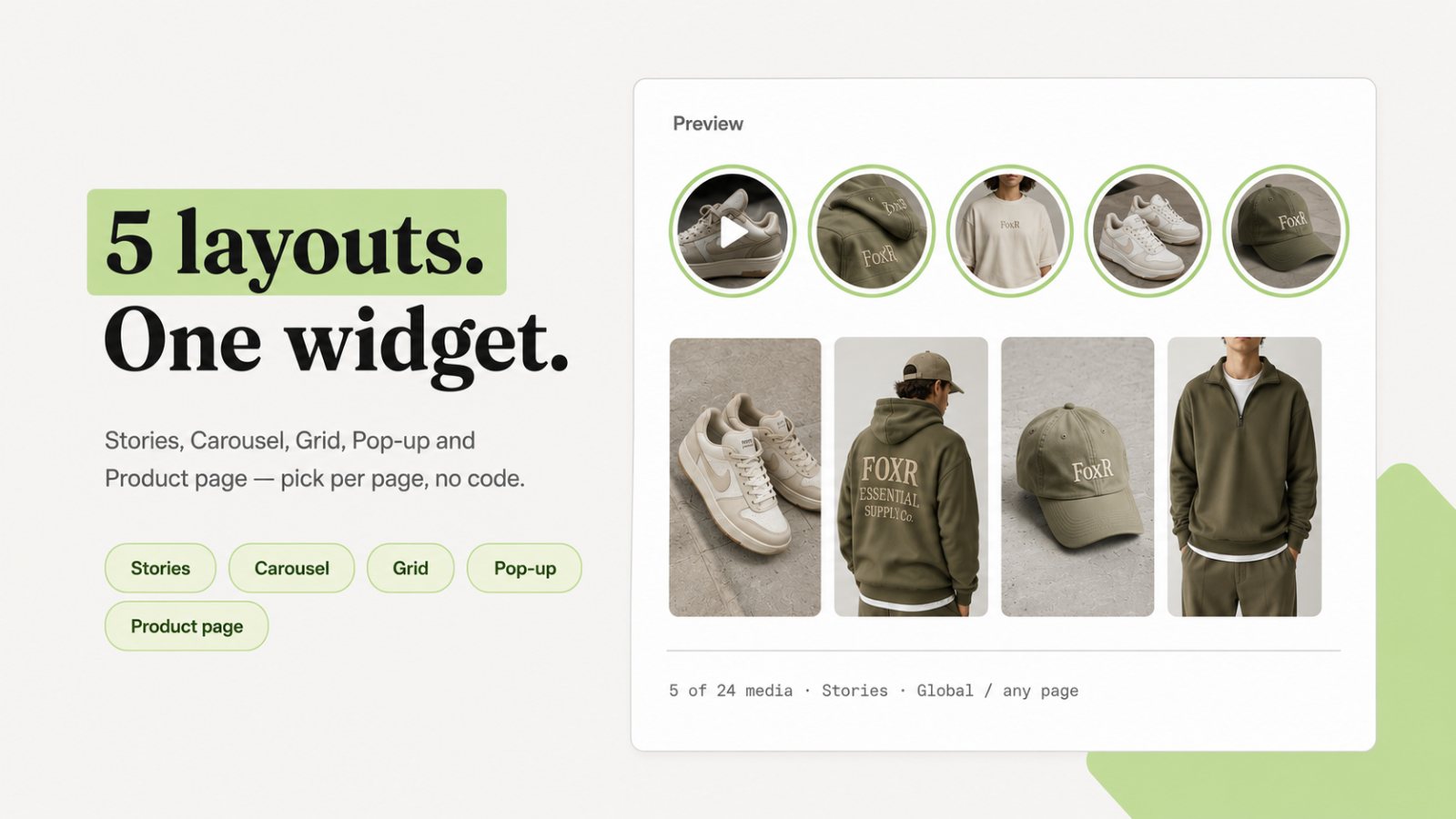
Video widgets are the most common cause of slow Shopify product pages. Foxr lazy-loads playback, gives you quality controls, and ships structured data (it calls this AEO & GEO) so search engines and AI answer engines can understand your videos. Five layouts (stories, carousel, grid, pop-up, and a product-page widget) are chosen per page with no code. Colours, corner radius, button style, and player theme are set so the widget matches your store instead of looking like a third-party app.
- What works: free; in-player add-to-cart with variant selection; per-video revenue analytics with A/B testing; lazy-loaded, mobile-first widgets; structured data for SEO and AI search; five no-code layouts and full brand styling.
- What doesn't: it's new (launched 25 September 2026), so it has few App Store reviews so far; English-only for now; it displays video rather than producing it, so pair it with a creator marketplace if you have no footage.
- Best for: any Shopify store that wants shoppable video on product pages without adding a monthly bill or slowing the page down.
Reviews with photos & video
2. Judge.me — best free reviews app for Shopify
Judge.me is the most-installed-feeling app on Shopify for a reason: its free plan isn't a teaser. Unlimited reviews, photo and video reviews, widgets, Google sync, and Shop app/Etsy/Amazon integration are all free. The $15/month Awesome plan adds AI features, 130+ integrations, advanced collection (coupons for photo reviews, referrals), Google Shopping, and Meta/TikTok sync. It carries a Built for Shopify badge and a 5.0 rating across 47,607 reviews.
- What works: unbeatable price-to-feature ratio; lightweight widgets; reliable review import; syndication to Google and Meta on a $15 plan.
- What doesn't: default widget design looks generic until you customize it; fewer 'wow' visual layouts than Loox.
- Best for: every store under ~$5M that doesn't have a reviews app yet — and plenty above that.
3. Loox — best for visual photo & video reviews
Loox built its brand on photo reviews and still does visual social proof better than anyone. The free plan covers review requests, reminders, and basic widgets up to 500 orders. Convert ($49.99/mo, 300 orders included, then $50 per extra 300) adds AI smart sorting and review highlights; Unlimited is $299.99/mo. 4.9 stars from 9,696 reviews.
- What works: the best-looking photo galleries and carousels; strong photo-review incentive flows; Google Shopping and Meta Shops syndication.
- What doesn't: order-based pricing climbs quickly for high-volume, low-AOV stores; visual widgets are heavier — lazy-load them.
- Best for: fashion, beauty, and home brands where 'what it looks like on a real person' is the objection.
4. Okendo — best reviews + loyalty platform
Okendo combines reviews, loyalty, referrals, surveys, and quizzes in one data layer — which is the real benefit: the attributes customers leave in reviews (skin type, fit, size) become segments in Klaviyo. Free up to 50 orders/month, then Essential $19/mo, Growth $119/mo, Power $299/mo. 4.8 stars from 1,426 reviews, with support consistently praised.
- What works: attribute-rich reviews ('fits true to size'), deep Klaviyo integration, one vendor instead of three.
- What doesn't: you only get the value if you use the loyalty/quiz modules; onboarding is heavier than Judge.me.
- Best for: growth-stage and Shopify Plus brands consolidating their retention stack.
5. Yotpo Reviews — best for enterprise syndication
Yotpo's reviews product is now priced far lower than its reputation suggests: free up to 50 monthly orders, Starter $15/mo, Pro $119/mo. 4.8 stars from 4,627 reviews. Its strength remains syndication — Google Seller Ratings, TikTok, Walmart — and Smart Filters that let shoppers search reviews.
- What works: mature syndication network; pairs with Yotpo Loyalty and SMS if you want one suite.
- What doesn't: some merchants have flagged changes to the Verified Buyer badge on imported reviews — check this if you're migrating history.
- Best for: multi-channel brands selling on marketplaces as well as Shopify.
Not sure which widget placement will actually lift conversion?
We test review and UGC placements on real Shopify traffic before you commit to a paid plan.
See our Shopify CRO serviceShoppable video
For a deeper comparison of 12 video apps, including free-plan limits and how each one counts views, see our guide to the best shoppable video apps for Shopify.
6. Tolstoy — best all-round shoppable video app
Tolstoy imports Instagram Reels, TikToks, and customer video (or uploads) and displays them as carousels, stories, feeds, pop-ups, or floating video across product, collection, and home pages. AI product matching tags videos to SKUs automatically, and analytics track views, clicks, and attributed revenue. Starter $12/mo, Plus $44/mo, Pro $195/mo, with a free trial. 4.7 stars from 277 reviews.
- What works: the widest set of formats; fast setup; Klaviyo, Meta Ads, and Shop app integrations.
- What doesn't: one reviewer noted that heavier AI automation reduces manual customization control.
- Best for: brands with an existing short-form video library and no in-house developer.
7. Videowise — best value shoppable video
Videowise makes Reels and TikToks shoppable across your storefront, plus publishes to the Shop app and TikTok Shop and compresses video for speed. The free plan covers the basics; Pro is $9/month including 5,000 unique widget impressions, with usage-based charges beyond that. 4.8 stars from 252 reviews. (Some competitor roundups still list Videowise at $239/month — that's no longer the entry price.)
- What works: 16+ widget themes; built-in video compression (a real page-speed win); very low entry cost.
- What doesn't: impression-based pricing gets expensive on high-traffic stores — model your monthly widget impressions first.
- Best for: smaller stores testing whether video moves conversion before spending real money.
Social galleries
8. Foursixty — best shoppable social galleries
Foursixty turns Instagram, TikTok, and customer content into shoppable galleries on product pages and landing pages, with rights management built in, ambassador shops, and Klaviyo integration. Plans run from $90 to $500/month with a 14-day trial. 4.9 stars from 136 reviews.
- What works: rights requests and tagging workflow; polished galleries; good for influencer-led brands.
- What doesn't: pricier than video-first alternatives; merchants ask for better search and customization.
- Best for: fashion and lifestyle brands with active communities posting about them.
9. Covet.pics — best budget Instagram gallery + reviews
Covet.pics displays Instagram profile or hashtag photos, videos, and Reels as shoppable galleries and lookbooks, and collects photo reviews. Lite $9.99/mo (1 gallery), Growth $29.99/mo (5 galleries, hashtag syncing), Premium $79.99/mo (50 galleries). 4.7 stars from 207 reviews; merchants call out fast performance.
- What works: cheapest way to get a shoppable Instagram feed; simple UI.
- What doesn't: Instagram-centric; review features are basic next to Judge.me or Loox.
- Best for: small brands whose best social proof lives on Instagram.
Creator marketplaces (sourcing new UGC)
10. Billo — best for high-volume ad creative
Billo is a pay-per-video marketplace: you ship product, creators film. Pricing starts around $99 per video, with bundles (published 2026 breakdowns cite roughly 6 videos for $500 up to 37 for $2,500). Add-ons like faster delivery or creator selection can push effective cost toward $150 per video. No subscription.
- What works: predictable per-asset cost; fast turnaround; volume for Meta and TikTok creative testing.
- What doesn't: quality varies by creator; no storefront widget — pair it with a display app.
- Best for: paid-social teams that need 10–40 new hooks a month.
11. Insense — best for creator whitelisting & Partnership Ads
Insense combines a creator marketplace with Meta Partnership Ads (whitelisting) — running ads from the creator's handle. Brand plan $500/mo (10% marketplace fee), Agency $800/mo (7% fee), trial month $650. Creator payments are budgeted separately on every plan.
- What works: ongoing creator relationships; Partnership Ads connections; content rights handled.
- What doesn't: platform fee + creator fees make it a $1,500+/month commitment in practice.
- Best for: brands spending meaningfully on Meta that want creator-led ads, not just clips.
12. Managed UGC production (agency)
Marketplaces give you footage; they don't give you a creative strategy. If you need briefs, hooks, editing, AI-assisted variations, and a testing loop tied to ROAS, a managed service replaces the marketplace plus the internal hours. That's what our AI UGC agency service does — worth considering once you're producing more than ~20 ad variations a month.
13. Honourable mention: Shopify's native video + Shop app
Before installing anything, check whether your theme's native product media (Shopify supports video and 3D in product galleries) already covers your need. One well-shot customer video in the main product gallery, uploaded natively, costs nothing and adds no third-party script.
Which UGC app should you choose?
| If you… | Choose |
|---|---|
| Want the best free shoppable video app | Foxr |
| Have no reviews app yet | Judge.me (free) |
| Sell visual products (fashion, beauty, home) | Loox |
| Want reviews + loyalty + quizzes in one | Okendo |
| Sell across marketplaces | Yotpo |
| Have a TikTok/Reels library | Foxr (or Tolstoy / Videowise) |
| Get lots of tagged Instagram posts | Foursixty (or Covet.pics on a budget) |
| Need 10+ new ad videos a month | Billo |
| Want creator-handle ads on Meta | Insense |
| Need strategy + production + testing | A managed UGC agency |
How to install UGC without hurting conversion
- Benchmark speed first. Run PageSpeed Insights on a product page before install and after. Watch mobile LCP and INP.
- Put reviews near the price, video below the fold. A star rating under the title does the heavy lifting; full galleries can lazy-load further down.
- Never autoplay multiple videos. One muted autoplay at most; the rest should be tap-to-play thumbnails.
- Don't stack apps doing the same job. Two review apps or two video carousels double the script weight and confuse the page.
- A/B test placement. Vendor 'attributed revenue' counts anyone who touched the widget, not incremental lift. Run a proper split test — our guide to A/B vs multivariate testing explains how — and compare against 2026 conversion rate benchmarks.
Watch the pricing model, not the sticker price
Order-based plans (Loox, Okendo, Yotpo) scale with sales; impression-based plans (Videowise) scale with traffic; marketplaces scale with content volume. A $9 plan can become the most expensive app on your store after a viral month. Model next year's orders and sessions before choosing.
UGC is social proof, and social proof is one lever in a wider conversion rate optimization program. Pick the app that fixes your biggest objection, measure it honestly, and only then add the next one.
Want UGC that's tested, not guessed?
We source, produce, and A/B test UGC on Shopify product pages and ads — and report the incremental lift.
Book a free CRO callFrequently asked questions
What is a UGC app for Shopify?
A UGC (user-generated content) app collects, manages, or displays content made by customers and creators — product reviews, customer photos and videos, Instagram and TikTok posts, or commissioned creator videos — and puts it on your Shopify storefront, in email, or in ads. They fall into four jobs: shoppable video, reviews with photos and video, social galleries, and creator marketplaces that source new content.
What is the best free UGC app for Shopify?
For shoppable video, Foxr is free and is our top pick overall. For reviews, Judge.me's free plan includes unlimited reviews, photo and video reviews, widgets, and Google sync, with a 5.0 rating across more than 47,000 Shopify App Store reviews (checked September 2026). Loox, Okendo, and Yotpo have free plans capped by monthly order volume.
How much do Shopify UGC apps cost?
Display apps are cheap: most start between free and $50/month, with growth tiers from roughly $44 to $300/month. Social gallery tools like Foursixty run about $90 to $500/month. Creator marketplaces are priced differently — Billo from about $99 per video, Insense from $500/month plus creator fees — because you are paying for new content, not software.
Do UGC apps slow down my Shopify store?
They can. Video widgets and review carousels add JavaScript and media to the page, which can hurt Largest Contentful Paint and Interaction to Next Paint on mobile. Keep widgets below the fold, lazy-load video, avoid autoplaying multiple videos, and run a PageSpeed Insights check before and after installing any app.
Are product reviews the same as UGC?
Reviews are one type of UGC — the most common and usually the highest-leverage for conversion because they sit next to the buy button. UGC also includes customer photos, unboxing videos, social posts, and paid creator content. Most brands should get reviews right first, then add video.
Should I use a shoppable video app or a creator marketplace?
They do different jobs. A shoppable video app (Foxr, Tolstoy, Videowise) displays video you already have on your store. A creator marketplace (Billo, Insense) produces new video you don't have yet, mostly for ads. If you have no video library, source it first; if you already have TikToks and Reels, a display app gets them working on product pages today.
How do I know if a UGC app is actually increasing conversions?
A/B test it. Split traffic between product pages with and without the widget (or between two placements) and measure conversion rate and revenue per visitor over at least two full weeks. Vendor dashboards report 'attributed revenue', which counts purchases from anyone who interacted with the widget — useful, but not proof of incremental lift.