What Is Shoppable Video? Meaning, Types, Examples & How It Works (2026)
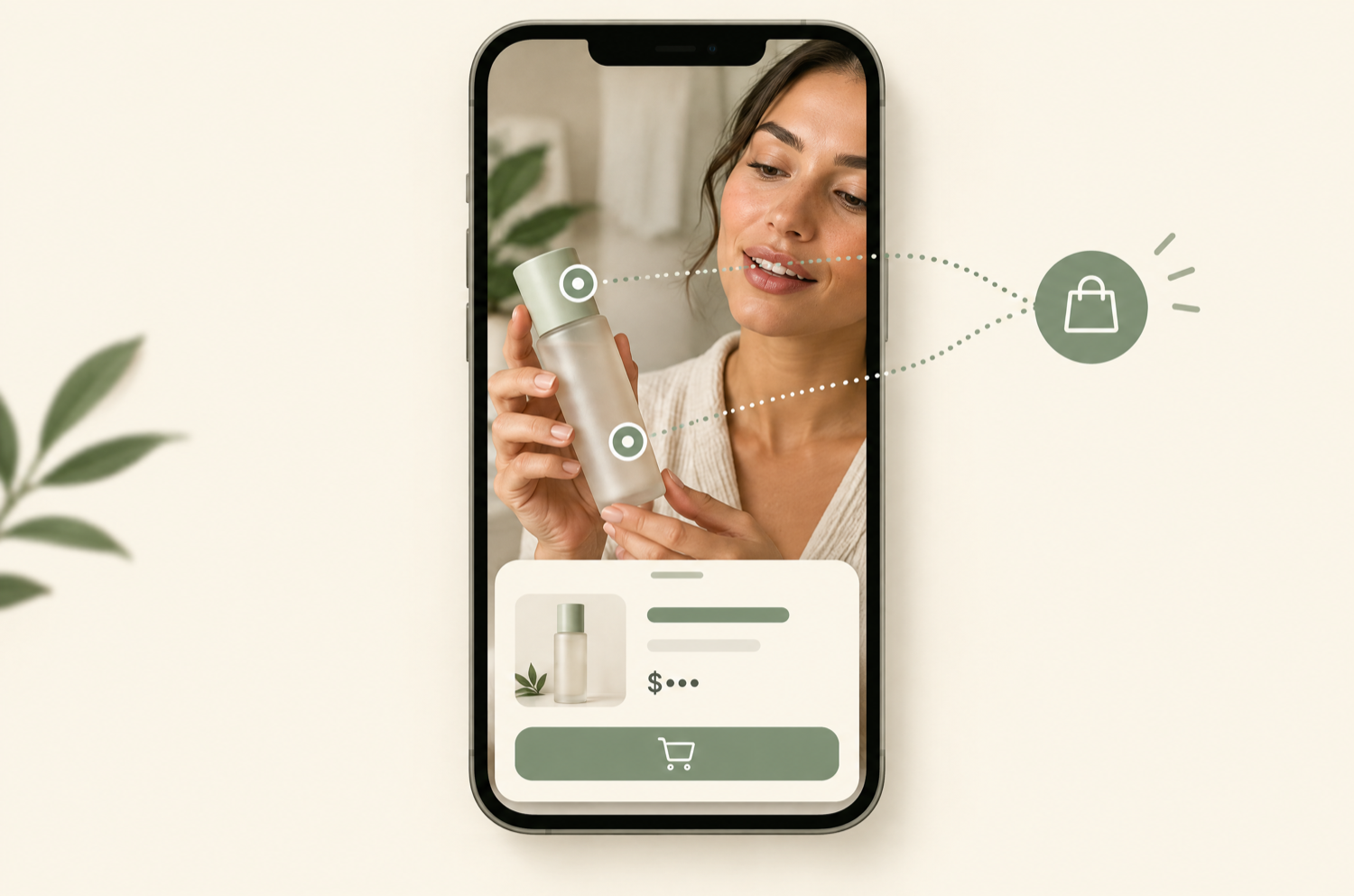
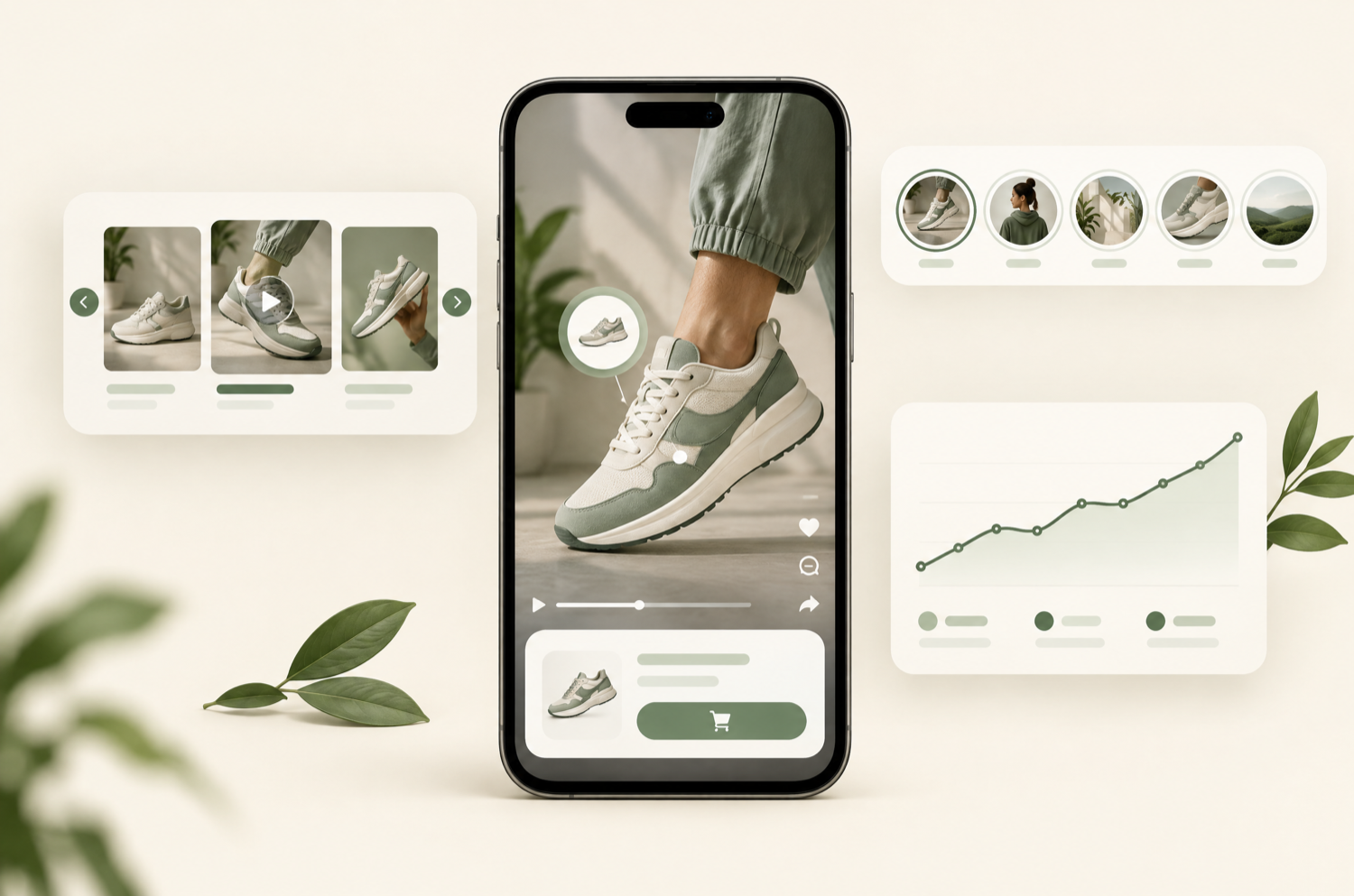
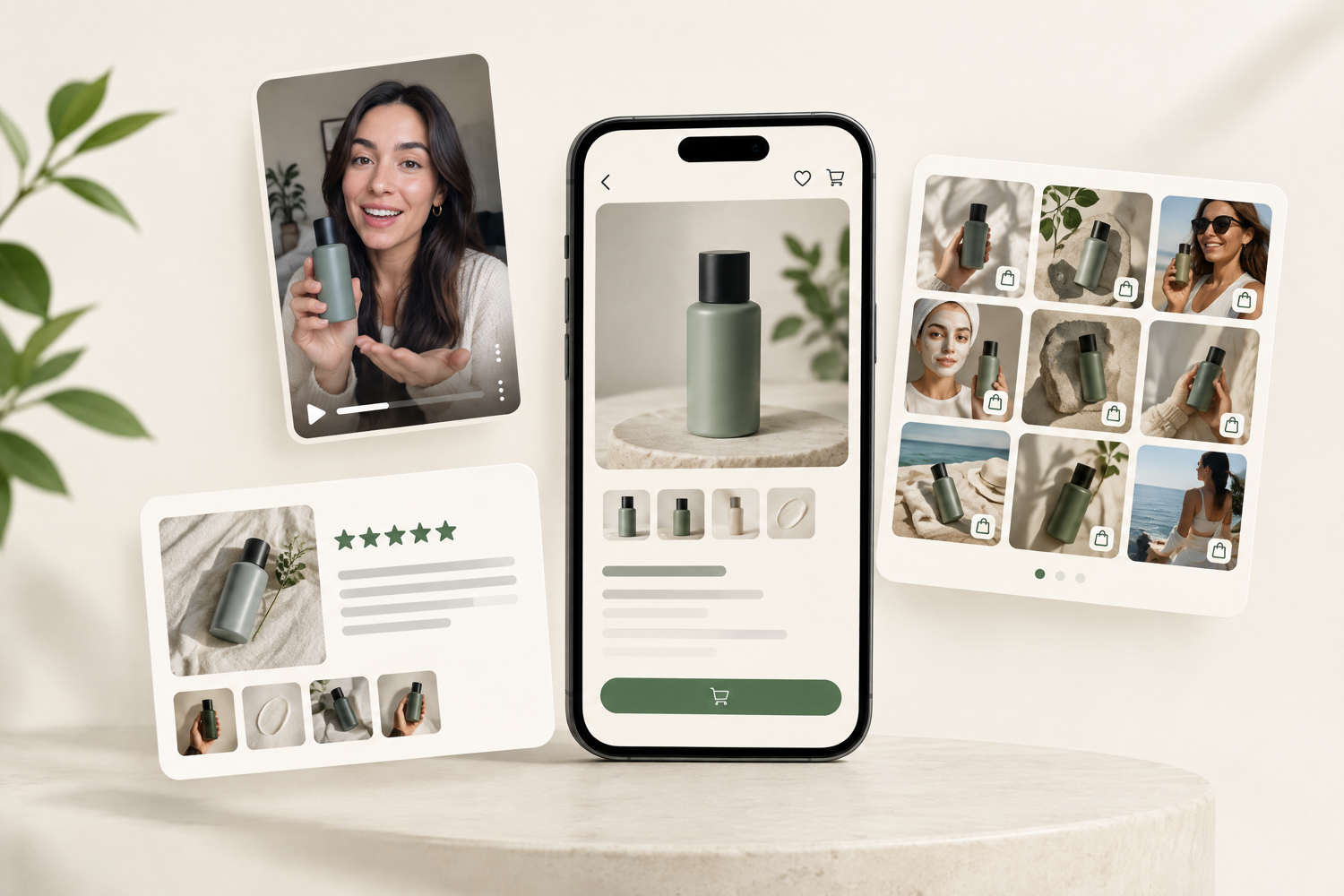
A shoppable video is a video with products tagged inside it, so viewers can see an item, check its price and options, and add it to cart without leaving the video. Instead of watching a clip, pausing, opening a product page, and searching for the item, the shopper taps the product in the video and buys it in the same moment. Shoppable video appears on brand websites (including Shopify stores), inside social apps like TikTok, Instagram, and YouTube, and on marketplaces such as Amazon.
This guide explains what shoppable video means, how it works, the main types and where they live, how it compares with regular product video and live shopping, and how to create your first shoppable video on Shopify.
Shoppable video in one line
Regular video shows the product. Shoppable video lets people buy it from the video, with product tags, live pricing, and an add-to-cart button inside the player.
Want shoppable video on your Shopify store?
Book a free 20-minute video audit. We'll review your product pages and show where shoppable video would lift conversion.
Book a free video auditWhat does "shoppable" mean?
"Shoppable" describes content you can buy from directly. A shoppable image, post, or video has product information attached to it, usually a tag, hotspot, or product card, that links to a product and lets you purchase. So a shoppable video is simply a video you can shop from.
How shoppable video works
Behind the scenes, a shoppable video connects a video player to a product catalog. The pieces are:
- The video. Usually short and vertical (9:16): a product demo, a customer review, a tutorial, or a reposted TikTok or Reel.
- Product tags or hotspots. Each video is linked to the products it shows. Some players pin a tappable dot on the product; most show a product card under or over the video.
- Live catalog data. Tapping the card pulls the current price, variants (size, colour), and stock from the store, so it's always accurate.
- In-video add-to-cart. The shopper picks a variant and adds the item to cart inside the player, or taps through to the product page, depending on the tool.
- Tracking. The platform records plays, clicks, add-to-carts, and orders for each video, so you can see which clips actually sell.
Types of shoppable video (and where they appear)
On your own website
On-site shoppable video is what most brands mean by the term: videos placed on product, collection, and home pages as carousels, Instagram-style stories, grids, floating pop-ups, or a full-screen player. On Shopify, it's added with an app. We compare the options, including free ones, in our guide to the best shoppable video apps for Shopify. The advantage is that you own the traffic, the data, and the checkout.
On social platforms
- TikTok Shop: creators and brands tag products in videos and LIVEs; viewers buy without leaving TikTok.
- Instagram: product tags in Reels and posts (availability depends on region and account setup).
- YouTube Shopping: products tagged in videos, Shorts, and livestreams. Shopify stores can connect their catalog through the YouTube channel app.
- The Shop app: Shopify's own shopping app has a home feed of shoppable videos, supplied through partner apps.
On marketplaces and in ads
Amazon runs shoppable video on product and search pages, and many ad platforms offer shoppable video ad formats that attach a product catalog to the creative. These live on someone else's platform, so you rent the audience rather than own it.
By format
| Format | What it shows | Best for |
|---|---|---|
| Product demo | The product in use, in the first 2 seconds | Product pages, every category |
| UGC review / unboxing | Real customers on fit, texture, size | Apparel, beauty, social proof |
| Tutorial / how-to | A routine, recipe, or setup using several products | Bundles, cross-sells |
| Before / after | Results over time | Skincare, cleaning, fitness |
| Creator or influencer clip | A reposted TikTok or Reel (with rights) | Reach, trust, new audiences |
| Live shopping replay | Highlights cut from a livestream | Launches, drops, events |
Shoppable video vs regular product video
| Regular product video | Shoppable video | |
|---|---|---|
| Can viewers buy from it? | No, they leave to find the product | Yes, add to cart inside the video |
| Product information | Separate from the video | Price, variants, stock on the video |
| Formats | Usually a single embed in the gallery | Carousels, stories, grids, pop-ups, full-screen |
| Measurement | Views only | Plays, clicks, add-to-carts, revenue per video |
| Setup on Shopify | Native, free | App required (many have free plans) |
Regular product video in the product gallery is still worth having: it's free and adds no script. Shoppable video is the upgrade when you want video across many products, purchasing from the video itself, and proof of what each clip earns.
Shoppable video vs live shopping
Shoppable video is on-demand: short clips that sit on your pages and sell around the clock. Live shopping (live commerce) is a scheduled livestream where a host demos products and viewers buy in real time. Live events can create a spike and a sense of urgency, but they need a host, an audience, and a schedule. Shoppable video works quietly on every product page. Most brands start with shoppable video and add live shopping later, then cut the replays into shoppable clips.
Why brands use shoppable video
- Less friction: no leaving the video, loading a new page, or searching for the item. Fewer steps from interest to cart.
- Better product understanding: motion shows fit, scale, texture, and how the product works, which photos can't.
- Social proof where it matters: customer videos next to the buy button answer the 'will it work for me?' question.
- First-party data: on your own site, you see which videos get played, clicked, and bought from, and you can use that in email and ads.
- Content reuse: the same Reels and TikToks you already make can sell on your store, in the Shop app, in email, and as ad creative.
Whether it lifts your conversion rate is something to test, not assume. Run an A/B test on product pages with and without video (our A/B testing guide explains how), and compare your results against 2026 conversion rate benchmarks.
How to create a shoppable video on Shopify
- Gather 10–20 vertical videos. Reels, TikToks, customer UGC, or quick phone-shot demos. If you don't have any, a UGC production partner can create them.
- Choose a shoppable video app. Look at the pricing model (flat, per view, or per impression), the free plan, and whether it lazy-loads. Our comparison of 12 apps covers this.
- Tag products. Link each video to the exact product and variant it shows.
- Add the widget to your theme. Most apps add an Online Store 2.0 block in the theme editor. Start on product pages, near the buy box or above reviews.
- Measure and test. Track plays, clicks, and add-to-carts, then A/B test the placement before rolling it out store-wide.
Rather have it done for you?
We pick the right app, produce or source the videos, install and style the widget, and A/B test the lift on your Shopify product pages.
Book a callHow to make a shoppable video on TikTok
TikTok shoppable videos run through TikTok Shop. The basic flow: set up a TikTok Shop seller account (Shopify stores can sync products through the TikTok app for Shopify), get your products approved, then tag a product when you post a video, or let affiliate creators tag your products in theirs. Eligibility and requirements vary by country and change often, so check TikTok Shop's current seller rules for your region. Length-wise, keep product videos short: the first two seconds decide whether anyone keeps watching, and most selling videos land between 15 and 60 seconds.
Shoppable video best practices
- Hook in two seconds: show the product in use immediately, not a logo.
- Film vertical (9:16): most viewers are on phones.
- One product focus per clip: so the tag matches what's on screen.
- Add captions: many people watch with the sound off.
- Protect page speed: lazy-load video and never autoplay more than one clip on a page.
- Get rights for UGC: written permission before using a customer's or creator's video on your store or in ads.
- Refresh seasonally: swap in gift-guide and offer-led clips before BFCM.
Shoppable video is one tactic in a broader conversion rate optimization program. When you're ready to pick a tool, start with our shoppable video app comparison, or see the wider list of UGC apps for Shopify.
Get a free product-page video audit
20 minutes. We'll show you where shoppable video fits on your store, which format to start with, and what it could be worth in revenue.
Book your free auditFrequently asked questions
What is a shoppable video?
A shoppable video is a video with products tagged inside it, so viewers can see an item, check its price and options, and add it to cart without leaving the video. It appears on brand websites, in social apps like TikTok, Instagram, and YouTube, and on marketplaces such as Amazon.
What does "shoppable" mean?
Shoppable describes content you can buy from directly. A shoppable post, image, or video has product tags or cards attached that link to a product and let you purchase it.
How do shoppable videos work?
A shoppable video connects a video player to a product catalog. Products are tagged in the video; tapping a tag shows live price, variants, and stock, and lets the viewer add to cart in the player or go to the product page. The platform tracks plays, clicks, and orders per video.
What is the difference between shoppable video and live shopping?
Shoppable video is pre-recorded and on-demand: clips that sell on your pages at any time. Live shopping is a scheduled livestream where a host sells in real time. Most brands start with shoppable video and add live shopping once they have an engaged audience.
How long should a shoppable video be?
Most selling videos work best at 15 to 60 seconds, filmed vertically (9:16). The first two seconds matter most, so show the product in use straight away. Platform limits vary; check TikTok's, Instagram's, or YouTube's current upload rules.
How do I do shoppable videos on TikTok?
Through TikTok Shop: set up a seller account (Shopify stores can sync products via the TikTok app for Shopify), get products approved, then tag products when you post videos or let affiliate creators tag them. Requirements vary by country, so check TikTok Shop's current seller rules.
How do I add shoppable video to a Shopify store?
Install a shoppable video app, upload or import your videos, tag the products in each one, and add the app's block to your product pages in the theme editor. See our comparison of the best shoppable video apps for Shopify for free and paid options.
Are shoppable videos worth it?
For most product categories, video answers questions photos can't, and shoppable video removes steps between interest and purchase. The only reliable way to know if it's worth it for your store is to A/B test product pages with and without it and compare conversion rate and revenue per visitor.