What it does
Better prompts in fewer clicks
Prompt library
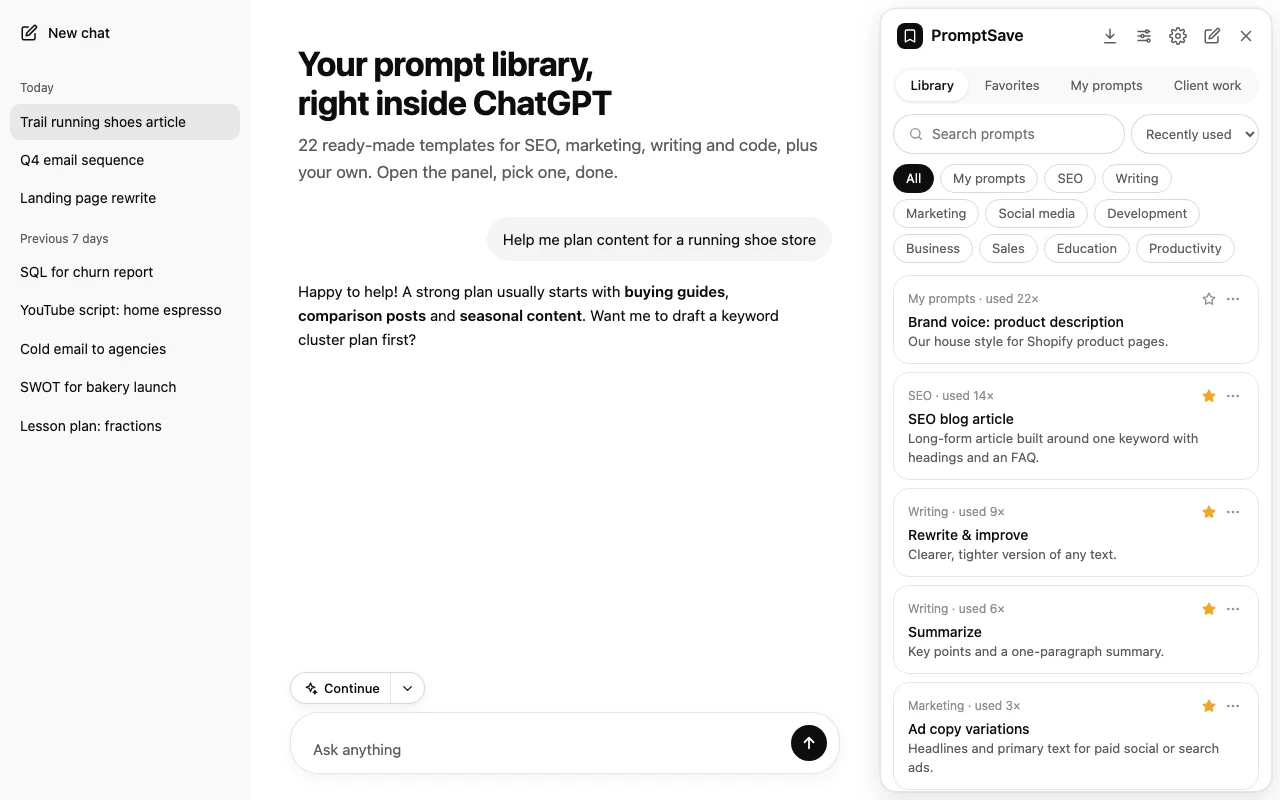
Your prompt library, right inside ChatGPT
Open PromptSave next to any chat and browse 22 ready-made templates for SEO, marketing, writing, code, sales and more, alongside the prompts you've saved. Search, filter by category, and sort by most used or recently used.
Templates
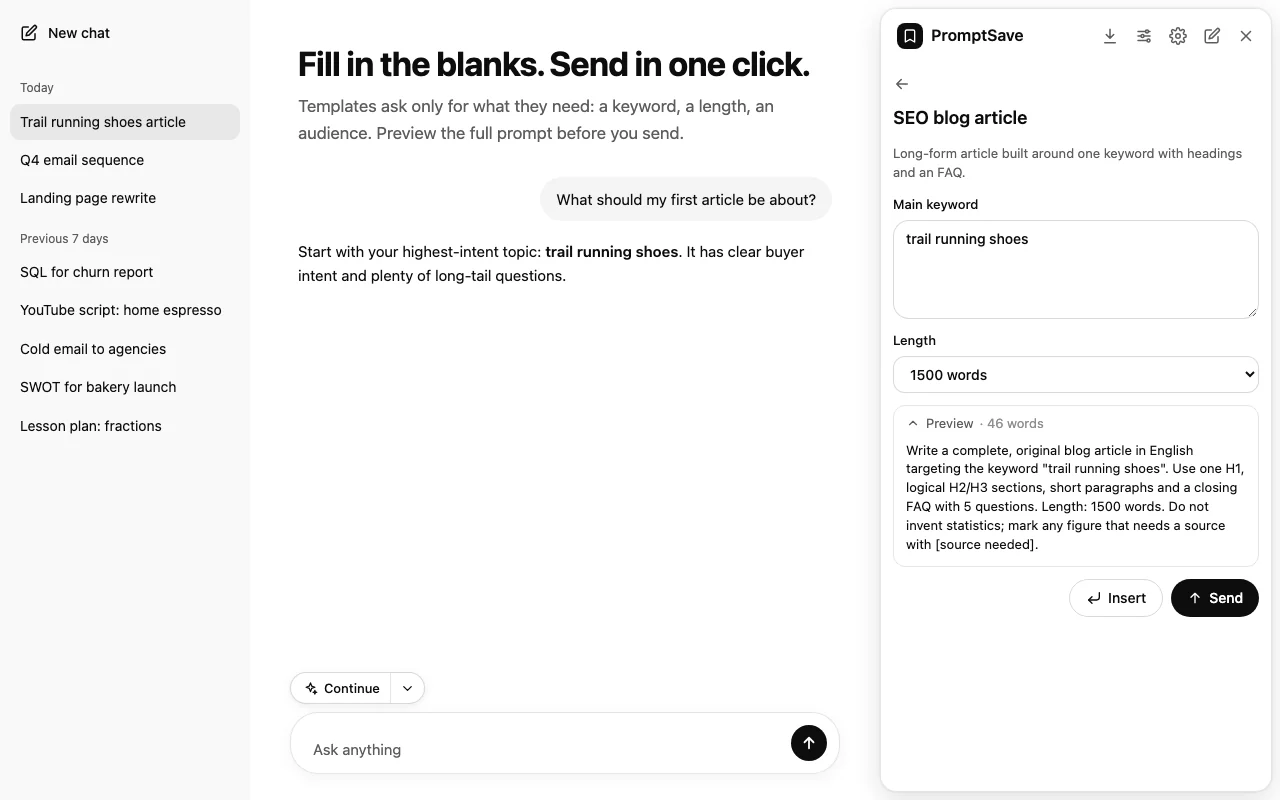
Fill in the blanks, then send
Each template asks only for what it needs: a keyword, a length, an audience, a platform. A live preview shows the full prompt and its word count, so you can send it straight away or insert it and edit first.
Tone, style & follow-ups
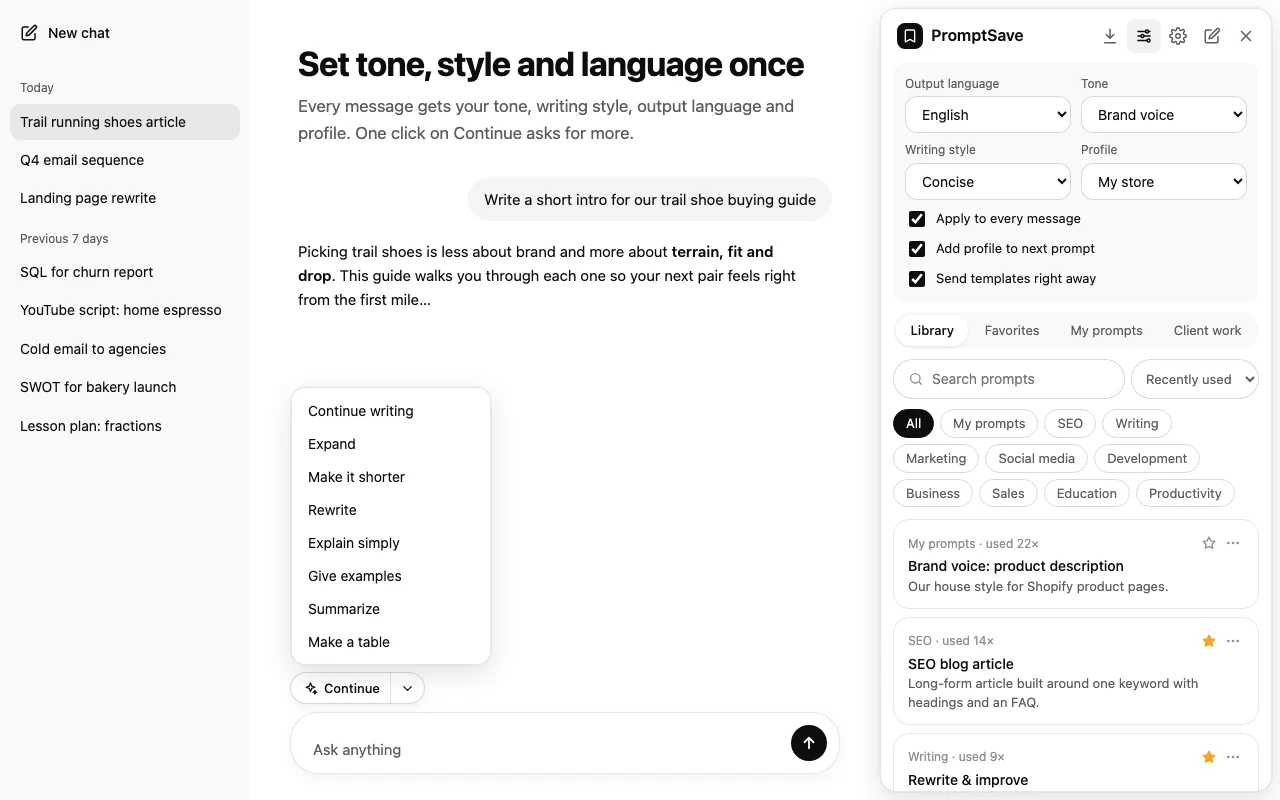
Set your tone and language once
Choose an output language, a tone and a writing style, or create your own, and PromptSave adds them to every message, including the ones you type yourself. Attach a saved profile about you or your business, and use Continue for one-click follow-ups like expand, shorten or make a table.
Right-click
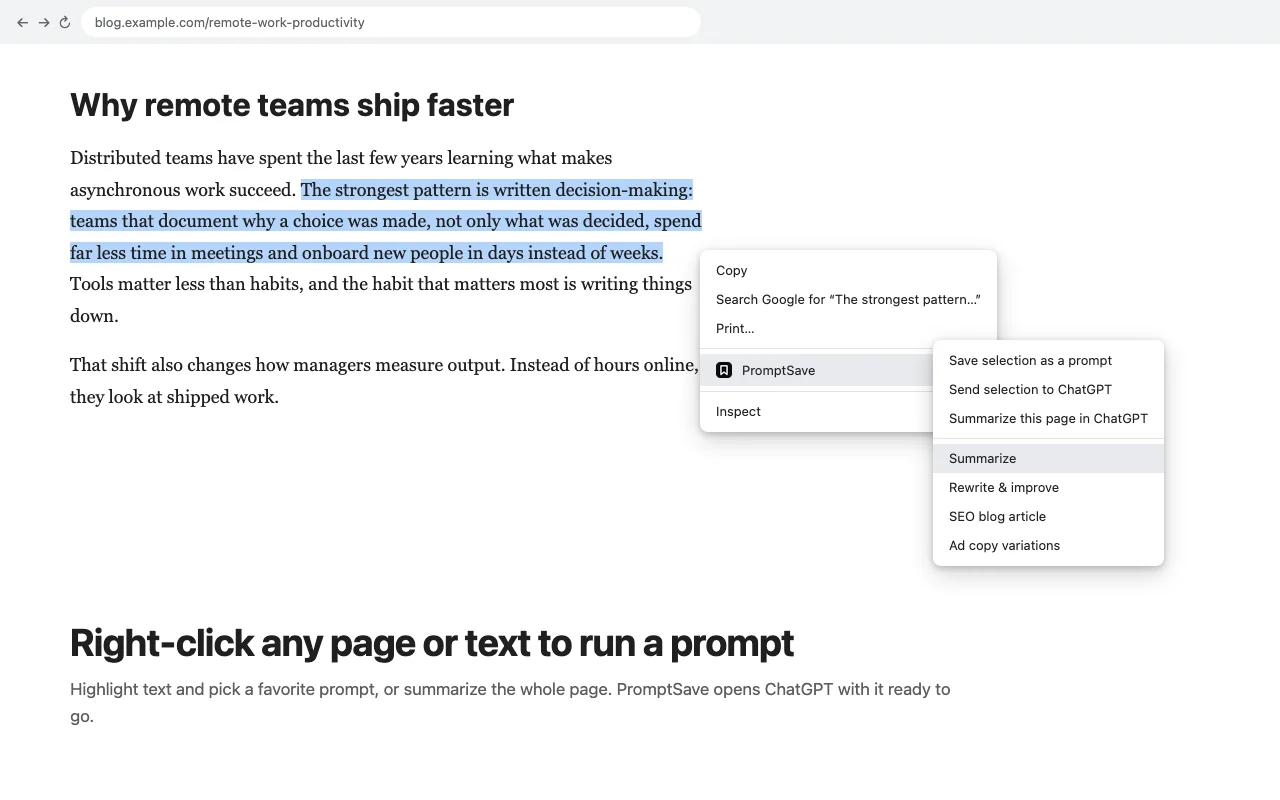
Run a prompt on any page or text
Highlight text on any website and run one of your favourite prompts on it, send it to ChatGPT, or save it as a new prompt. Right-click a page to summarize it in ChatGPT.
Organize & share
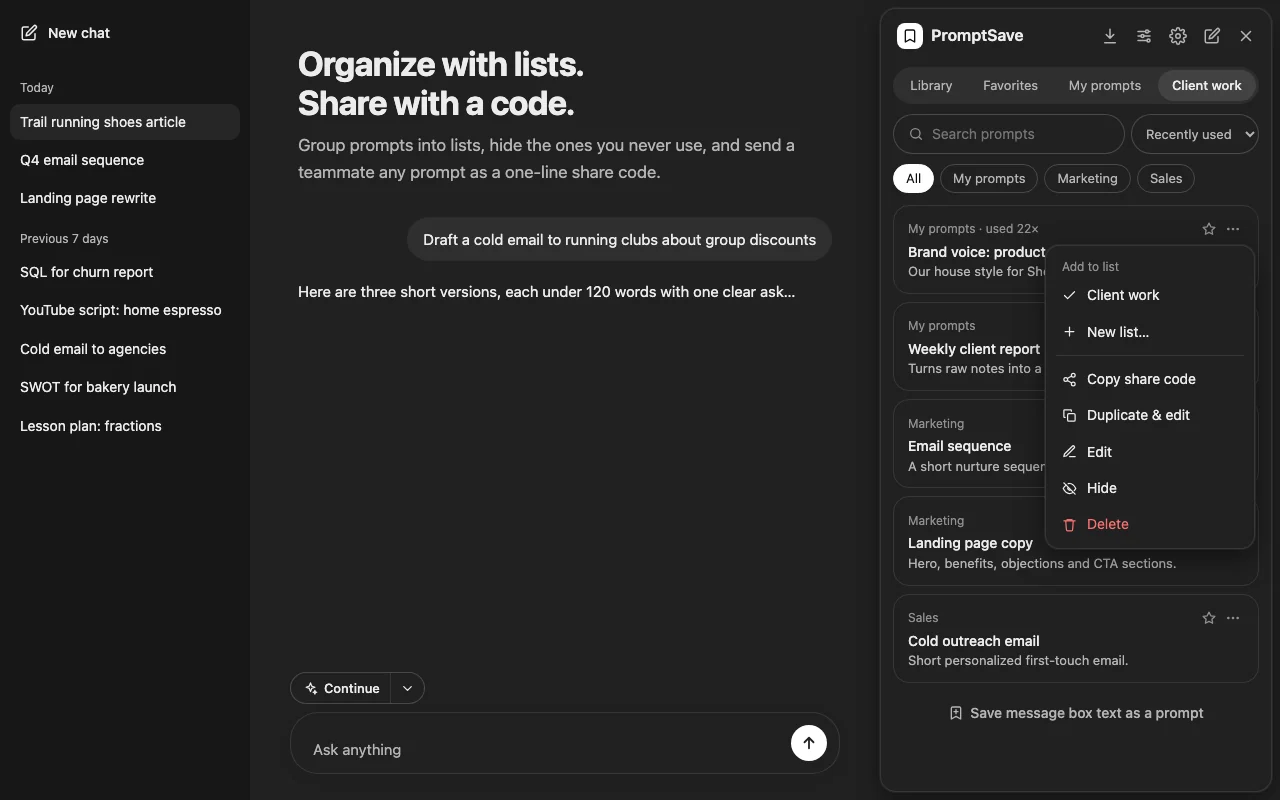
Lists, favourites and share codes
Star favourites, group prompts into lists, and hide the ones you never use. Send any prompt to a teammate as a one-line share code, or export your whole library as a file.
And also
Everything else in the box
Web page prompts
Paste a URL and PromptSave pulls the page's article text into the prompt, for summaries and competitor briefs.
Custom fields
Build your own templates with text fields and dropdowns using simple tags, inserted with one click.
Chat export
Save any conversation as Markdown, plain text, a web page or JSON, or copy it as Markdown.
Import from other tools
Import prompt files from PromptSave and other prompt managers, including their variable syntax.
Address bar shortcut
Type ps and a space in Chrome's address bar, then your question, to open it in ChatGPT.
Light and dark
A clean design that follows ChatGPT's own light or dark theme automatically.
Three steps
Open, pick, send
- 1
Open ChatGPT
Click the PromptSave button next to the message box, or press Alt+P.
- 2
Pick a prompt
Choose a template or one of your saved prompts, and fill in the fields.
- 3
Send
Send it straight away or insert it to edit, then use Continue for follow-ups.
Questions
Frequently asked questions
Is PromptSave free?
Yes. There's no account, no sign-up, no trial and no paid tier. PromptSave works inside the ChatGPT account you already use, free or paid.
Where are my prompts stored?
In your browser, on your computer. PromptSave has no servers, so your prompts, lists and settings are never uploaded. Export your library to a file any time to back it up or move it to another computer.
How do tone, writing style and language work?
When you pick them, PromptSave adds a short instruction to the end of your message, for example "Please write in a friendly tone, concise writing style, Spanish language." You can turn this off for typed messages and keep it for templates only.
Why does PromptSave ask to read web pages?
Only prompts that take a URL, like "Summarize a web page", need it. The first time you run one, Chrome asks your permission. PromptSave then downloads that one page so its text can go into your prompt. It never reads pages in the background.
Can I share prompts with my team?
Yes. Every prompt has a Copy share code option. Anyone with PromptSave can paste the code in Settings to import the prompt. You can also export and import whole libraries as JSON files.
Does it work with ChatGPT's new layout?
PromptSave runs on chatgpt.com and chat.openai.com and finds the message box automatically. If ChatGPT changes its page in a way that breaks something, we release an update.
Who makes PromptSave?
PromptSave is made by Conversion.is, a pay-on-results growth agency for e-commerce and DTC brands. It is not affiliated with or endorsed by OpenAI.
Read the full PromptSave privacy policy.